Daily tools
Every tool for every kind of day.
Beyond ordinary lessons, Binder has specialized tools for narrations, memory work, nature journaling, habits, field trips, and more. Open All tools at the top of the sidebar and look under School day. You can pin any tool to the sidebar as a shortcut.
Planned lessons don't need a tool: mark them done on Today and that check is the record. Use these tools for the work that isn't a lesson on the plan.
Daily tools screenshots
Use daily tools to capture the learning that happens outside a simple lesson checkbox.
Narrations
A narration is a child's verbal or written account of something they've read or heard. Narrations are central to Charlotte Mason education but useful in any method as a comprehension and oral language exercise.
To log a narration, go to All tools → Narrations and click New. Select the child, enter the source title (the book or passage narrated), the date, and the narration text itself. You can also link the narration to a subject for reporting. Narrations appear in the child's portfolio feed and can be attached as evidence to a lesson.
When a reading is on the plan, check it off on Today and tap Narrate on that row (shown for styles where narration is a core tool, such as Charlotte Mason and Classical). The form opens with the child, date, subject, and the reading as its source, and saving brings you back to Today.
What to record
- Which child narrated
- The book, chapter, or passage they narrated from
- The date of the narration
- The narration text (as spoken or dictated, or a summary)
- An optional subject tag for reporting
Portfolio use
Narrations appear in the portfolio feed in chronological order. They can be used to demonstrate reading comprehension and oral language development in annual reviews, evaluator reports, or portfolio submissions.
Read-Alouds
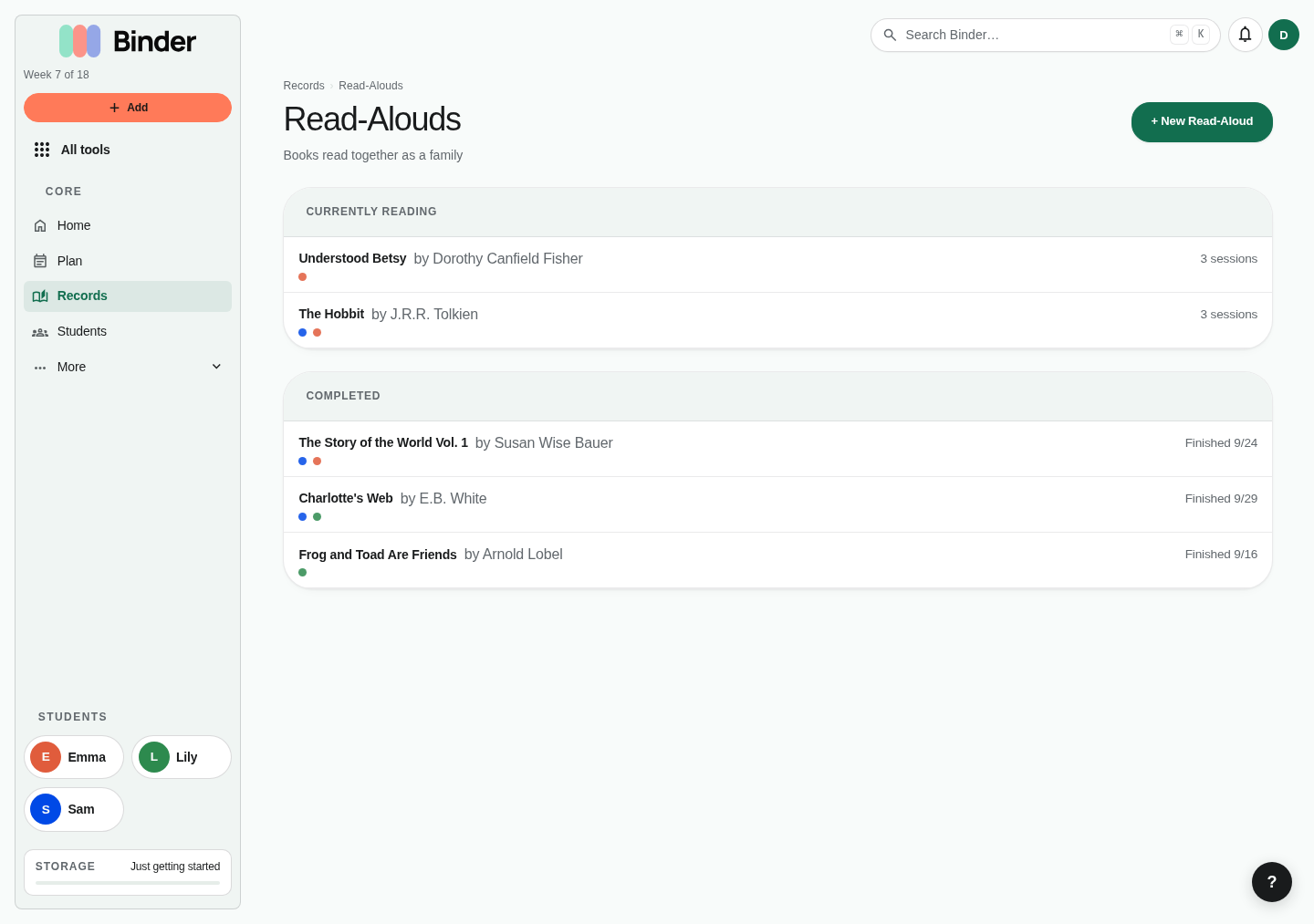
A read-aloud is a book you're reading to multiple children at once. Unlike the per-child Book List, read-alouds belong to the family (your account) and track which children are listening. Each time you read, log a session with the date, duration, the section you covered, and any notes.
Creating a read-aloud
Go to All tools → Read-Alouds and click New. Enter the book title, author, and start date. Select which children are participating. You can add and remove children as the read-aloud progresses.
Logging sessions
After each reading session, click Log Session. Enter the date, how long you read, which section or chapters you covered, and any discussion notes. Sessions accumulate into a history of how the book was read over time.
Completing a read-aloud
When you finish the book, click Complete. This marks the read-aloud finished and records the completion date. Completed read-alouds remain visible in the portfolio feed as evidence of literature exposure.
Evidence
Attach files (photos of a narration, cover art, a book report) to a read-aloud as evidence. These files appear in the child's artifact gallery.
Habits
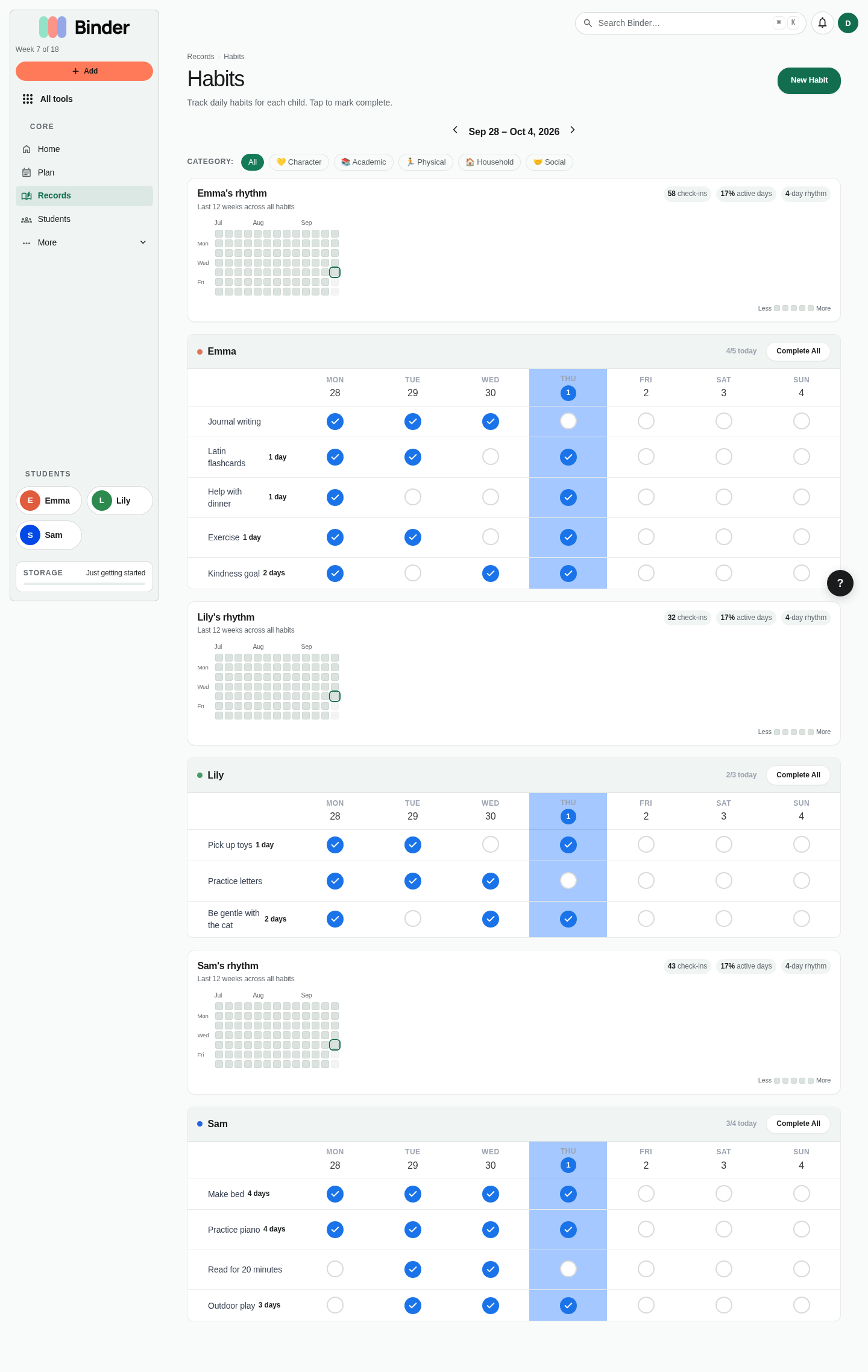
The habit tracker lets you build daily and weekly habits for each child — morning routine, reading time, instrument practice, exercise — without turning them into grades or strict checklists. Completion is tracked, streaks are celebrated, and nothing is penalized when a day is missed.
Creating a habit
Go to All tools → Habits. Click New Habit for the child you're tracking. Give the habit a name, a category (character, academic, physical, practical), and choose whether it's daily or weekly. Habits can be reordered by dragging them into priority order.
Logging completions
Each day, open the habits view for a child and tap the checkmark next to each habit completed. Binder records the date. The habit grid shows a rolling view of recent days so you can see patterns at a glance.
Habit streaks
Binder tracks habit streaks automatically. A streak increments each consecutive day a habit is completed. Streaks reset on a missed day. Longest-ever streaks are stored separately so you never lose that record even if a streak breaks.
Pausing habits
Toggle any habit inactive to pause it during vacation, illness, or a term break. The habit disappears from the daily checklist without losing its history. Reactivate it when you're ready to resume.
Copywork & Dictation
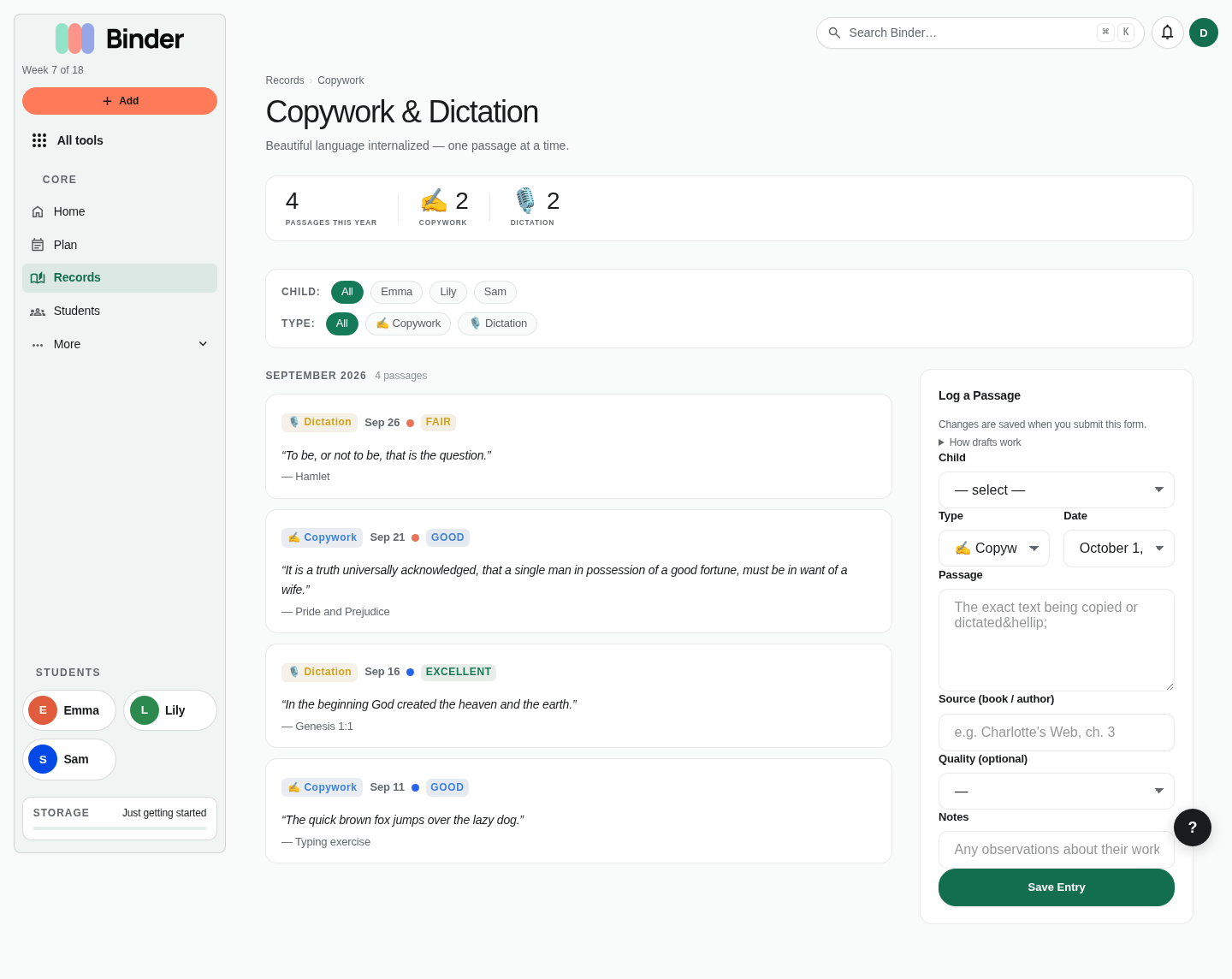
Copywork and dictation are foundational language arts practices in many homeschool philosophies. Copywork involves a child writing out a passage of good prose or poetry by hand. Dictation involves listening to a passage and writing it from memory, often passages previously studied through copywork.
Go to All tools → Copywork to log an entry. Fill in the child, date, the passage they copied or took from dictation, the source of the passage, the entry type (copywork or dictation), and an optional score or comprehension note. Entries appear in the portfolio feed and can be tagged with a subject.
Use Binder to build a growing record of the passages your child has copied and mastered. This record is useful for evaluators and annual reviews to demonstrate consistent language arts practice over time.
Artist & Composer Study
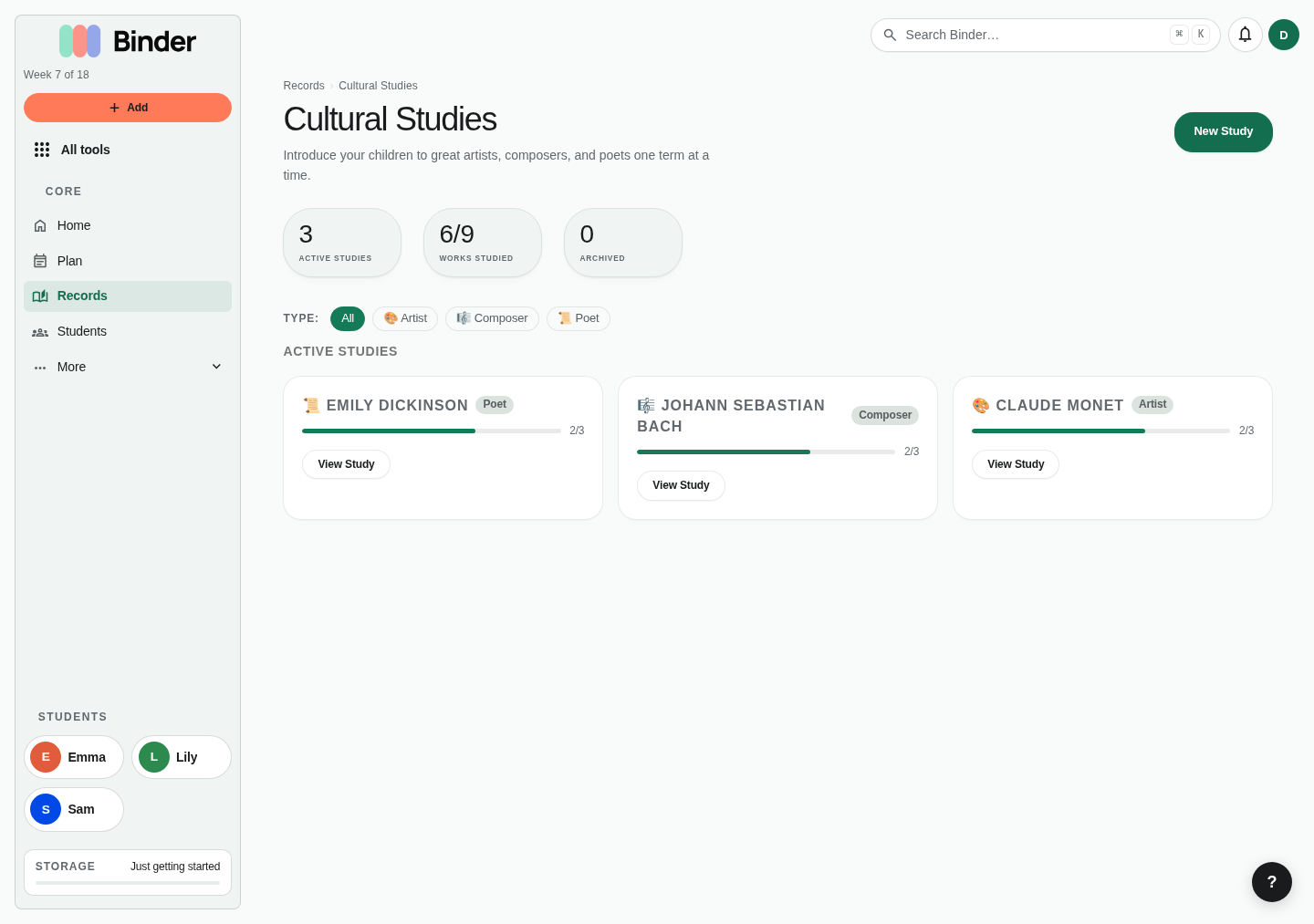
Artist and composer study involves spending extended time with one artist or composer — looking at their work, listening to their music, reading about their life, and learning to recognize their style. Binder helps you manage these studies and mark individual works as studied or not.
Creating a study
Go to All tools → Artist & Composer. Click New Study and choose the type (artist or composer). Enter the name, era, nationality, and bio notes. A new study is created with an empty works list.
Adding works
Within a study, add individual works: paintings, sculptures, symphonies, or sonatas. For each work, enter the title, year, medium or form, and study notes. Reorder works using the drag handles.
Marking works studied
Toggle each work as studied when your family has spent time on it. Binder records the date. You can bulk-mark all works in a study or mark them individually as you progress through the artist's body of work.
Portfolio use
Completed cultural studies and studied works appear in the portfolio feed and can demonstrate arts and culture exposure across your homeschool years.
Nature Journal
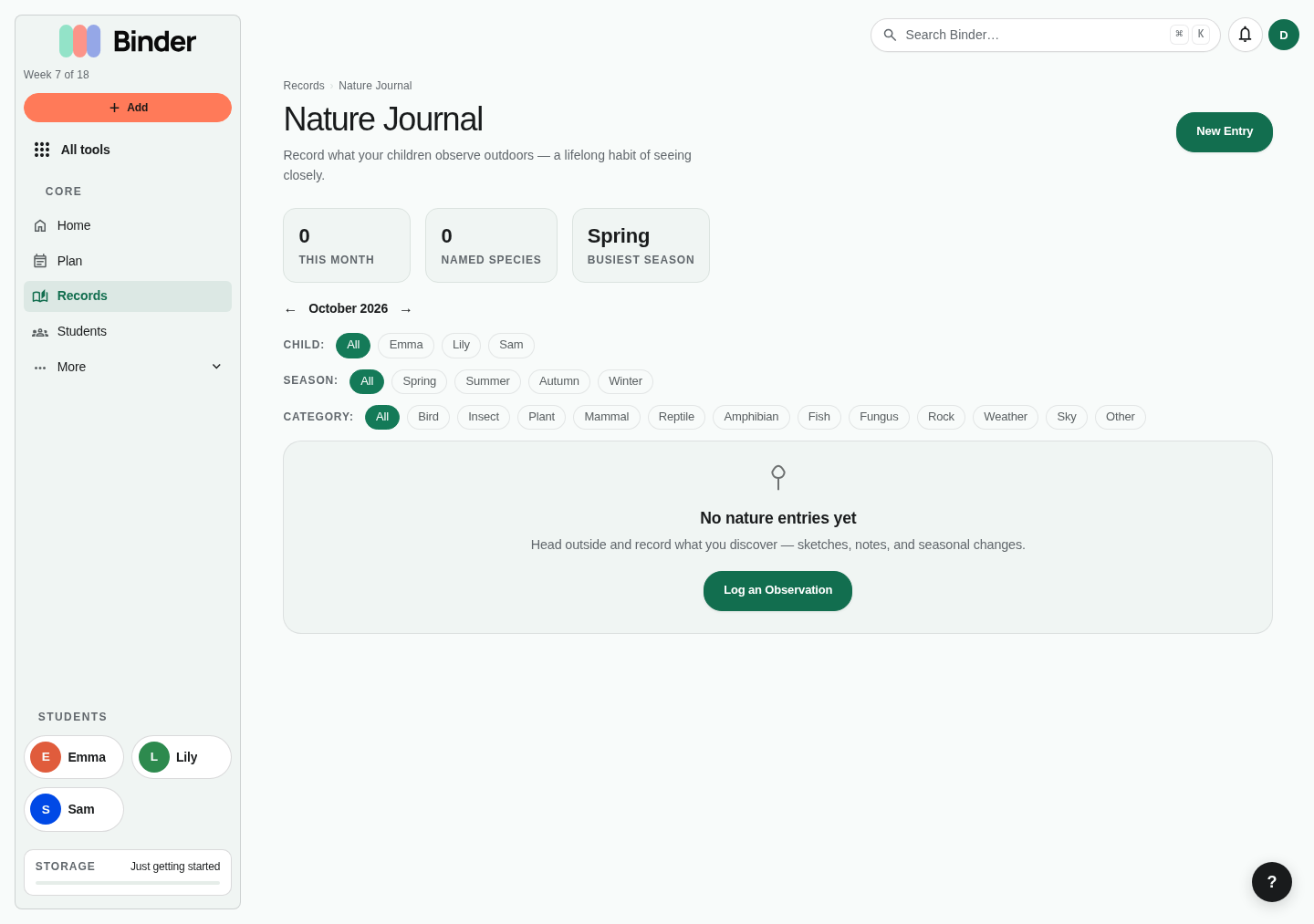
The nature journal captures outdoor observations per child. Each entry records a specific nature encounter: a plant identified, a bird spotted, an insect found, a weather pattern noticed. Over time, the nature journal becomes a beautiful record of a child's growing naturalist knowledge.
Creating an entry
Go to All tools → Nature Journal. Click New Entry and select the child. Enter the date, a title or name for what was observed (e.g. "Eastern Bluebird"), the species if applicable, the category (plant, animal, insect, fungi, weather, sky, rock/mineral, other), location, season, and weather conditions.
The observation field
Write the actual observation in the observation field — describe what was seen, heard, or found in detail. This is the main content of the journal entry and can be as brief or extensive as the child recorded.
Photos
Attach a photo to each nature entry. Photos appear as a gallery in the journal and in the portfolio feed. A photo of the actual specimen, habitat, or drawing makes the entry richer for portfolio review.
Portfolio use
Nature journal entries aggregate into the portfolio feed. For Charlotte Mason and Waldorf families, a nature journal populated with entries throughout the year is compelling evidence of outdoor education and naturalist skill development.
Field Trips & Outings
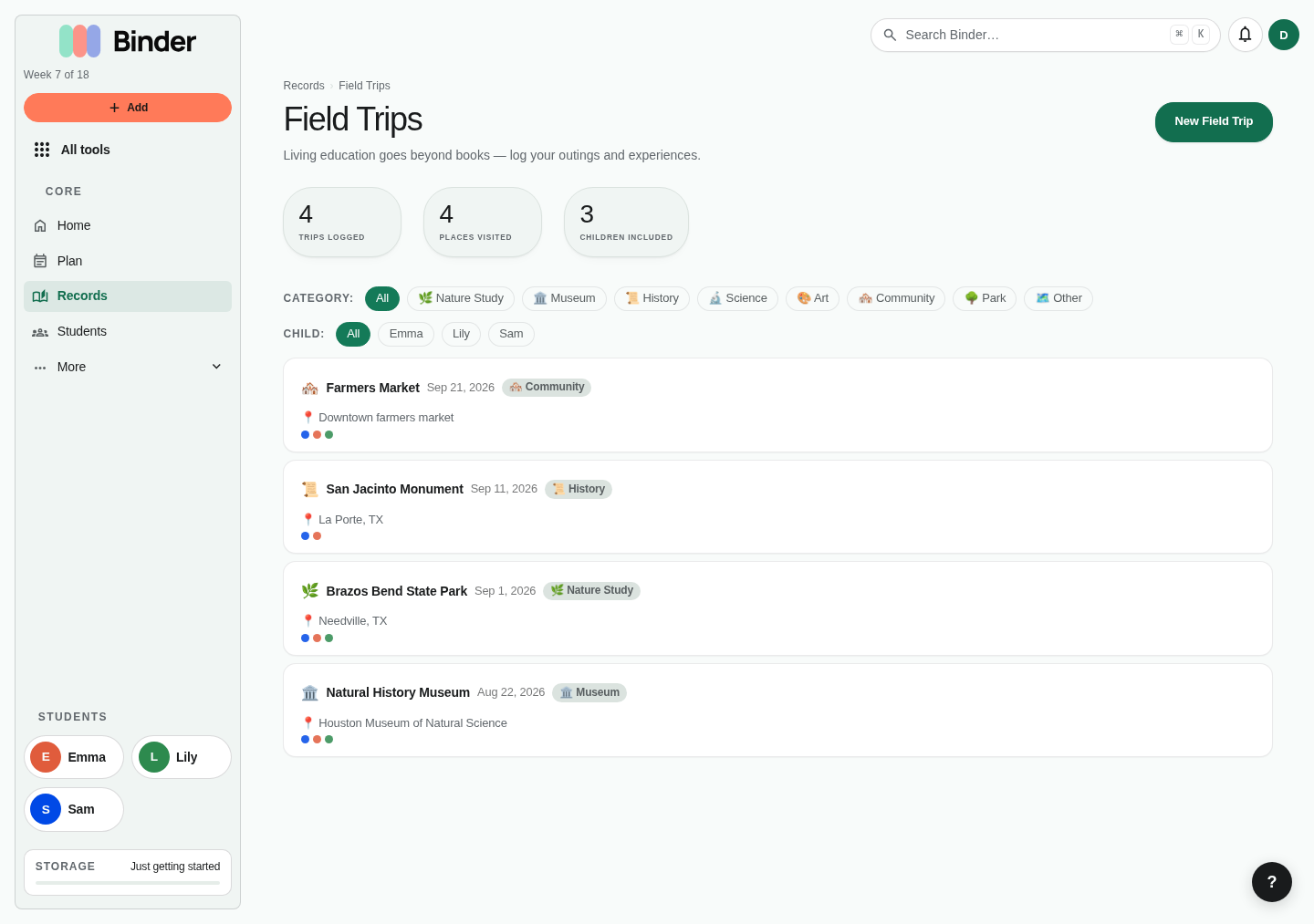
Log any educational outing as a field trip: museum visits, nature hikes, historical sites, science centers, libraries, farms, plays, concerts, and community events. Regular co-op days are better marked as Co-op on Plan (see the week planner guide); they count as school days without adding a record. Field trips count toward school days and hours in compliance reporting.
Logging a field trip
Go to All tools → Field Trips. Click New. Enter the title, date, location, and category (museum, nature, historical, arts, science, community, co-op, sports, other). Add a description of what was learned or experienced and an optional URL for the destination's site.
Children & subjects
Select which children attended. Tag the field trip with the subjects it covered — a history museum visit covers History; a nature center visit covers Science and Nature Study. Subject tags feed into compliance reporting.
Photos
Attach multiple photos to each field trip. Photos appear in the field trip detail and in each child's portfolio feed. A photo-documented field trip is one of the strongest pieces of evidence in a portfolio review.
Compliance
Field trips with an educational purpose count as school days in attendance and add to your compliance hours. They appear labeled in the attendance calendar and portfolio feed so evaluators can see them clearly.
Memory Work
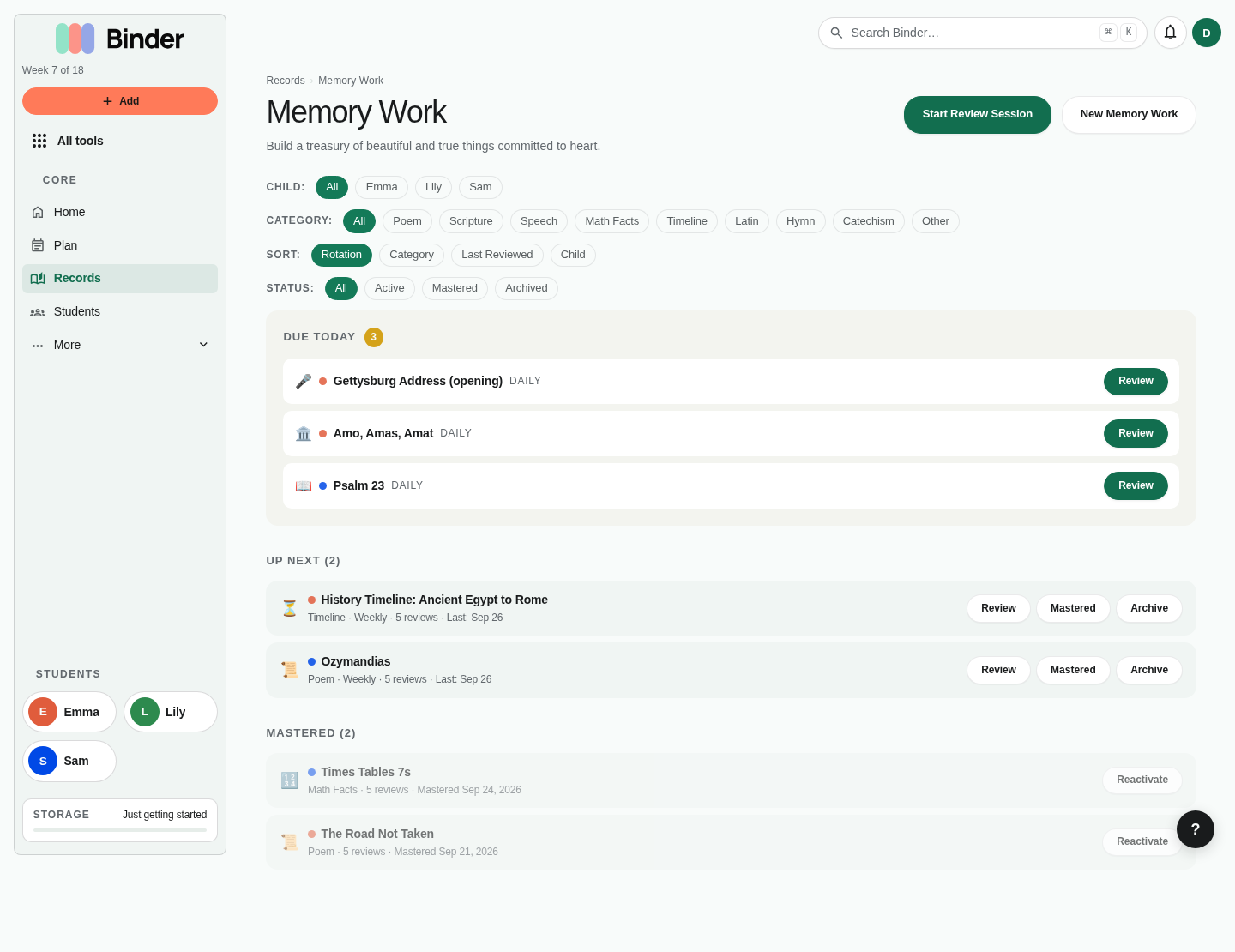
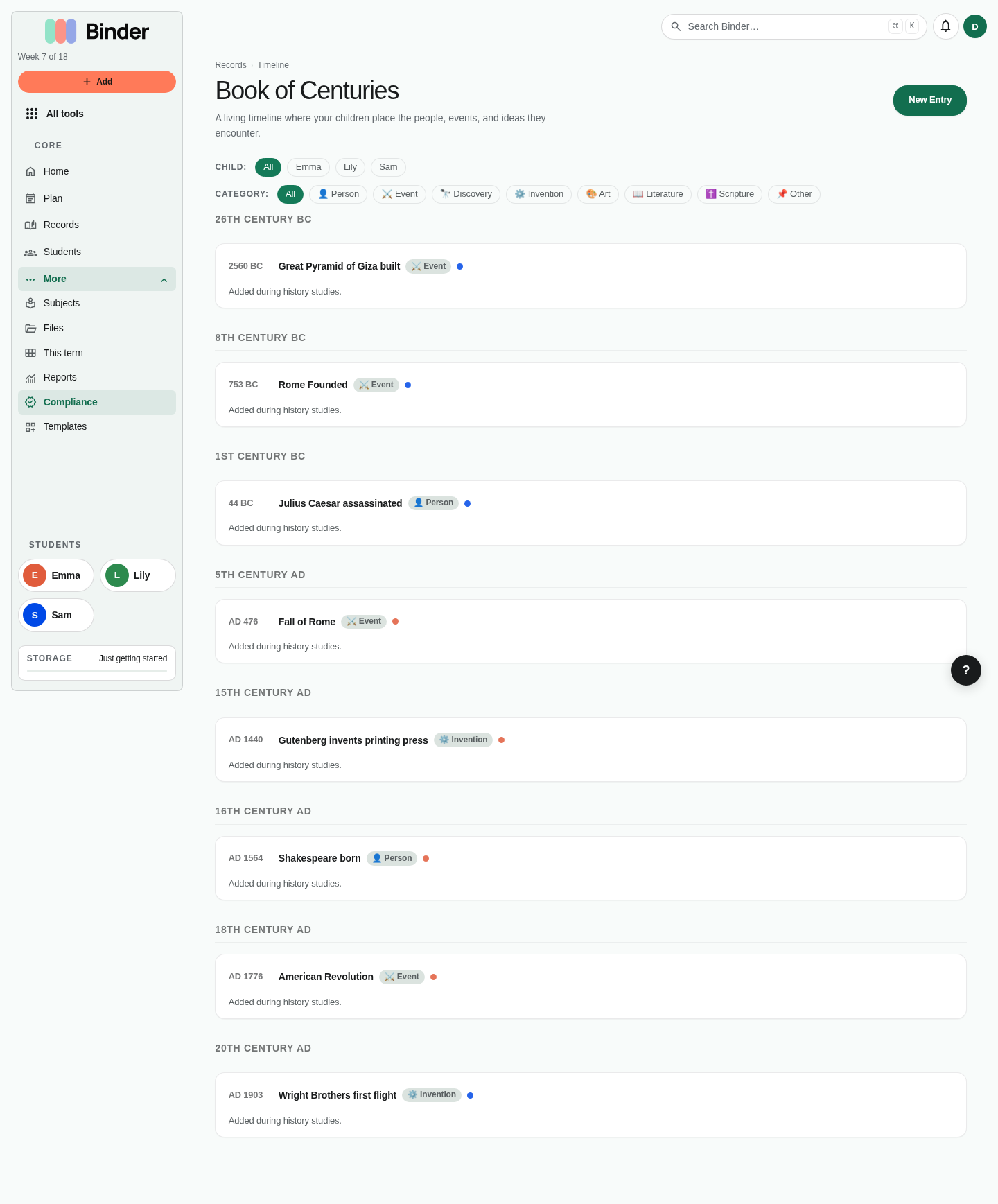
Memory work is anything your children are actively memorizing: poems, scripture, speeches, math facts, historical timelines, Latin vocabulary, hymns, catechism, or any passage you've chosen. Binder tracks each piece and schedules reviews using a spaced repetition algorithm based on your child's confidence ratings — the same method used by Anki and other powerful memorization tools.
Adding a piece
Go to All tools → Memory Work. Click New. Select the child, enter the title, choose the category (poem, scripture, speech, math facts, timeline, Latin, hymn, catechism, or other), set the rotation (daily, weekly, or periodic review), and paste or type the full text in the body field. Set a start date.
Reviewing
When a piece is due, it appears under Due memory on Today, next to the day's lessons. Click Review and work through each item with your child. After each review, rate their confidence: Struggling, Shaky, Solid, Confident, or Mastered. Binder uses this rating to schedule the next review date.
How spaced repetition works
Each confidence rating adjusts the review interval. Struggling (0.5×), Shaky (0.75×), Solid (1.0×), Confident (1.5×), Mastered (2.0×). A piece rated Struggling will return tomorrow. A piece rated Mastered won't return for weeks. The algorithm adapts continuously as your child's confidence changes.
Practice sessions
Use the Practice Session mode to review all due pieces in a single sitting. Binder queues them up in sequence. After each piece, you rate confidence and move to the next. The session summary shows how many pieces were reviewed and how many are mastered.
Where pieces go after Mastered or Archive
From Today or the Memory Work list, a piece's menu has Mastered and Archive. Neither deletes anything; the piece just stops coming due.
- Mastered pieces move to the Mastered filter on the Memory Work page, with the date they were mastered. They stay in the portfolio as evidence of memorization.
- Archived pieces move to the Archived filter. Use it for pieces you're setting aside, such as last cycle's work.
- To find them, follow Mastered & archived from the memory section on Today, or open All tools → Memory Work and choose a status filter.
- Bring a piece back from either list and it returns to daily practice.
Book List
The book list tracks each child's independent reading — the books they're working through on their own, separate from read-alouds or lesson-assigned readings. Each book entry has a title, author, start date, and optional completion date.
Go to All tools → Book List. Click New Book, select the child, and fill in the title, author, and start date. When the child finishes the book, click Mark Complete and Binder records the completion date. Completed books appear in the portfolio feed and can be listed in annual reports to demonstrate reading volume.
The book list is also accessible from each child's profile page, where you can see their current and completed books alongside their lesson history. For Charlotte Mason families, this list integrates naturally with the narration log — you can reference a book from the list when logging narrations.
Log learning and the learning day
Log learning records what happened in one child's day: the detour, the conversation that went long, the thing that finally clicked. It is not a second place to record lessons. If a lesson was on the plan, marking it done on Today is the record; you don't need to write it up again.
What Log learning saves
A note, minutes, attendance, a photo, and an optional subject. Pick a subject and Binder marks that subject's planned lesson done, or adds a completed lesson if it wasn't planned. Without a subject, the minutes still count toward total hours as time not tied to a subject; reports show them on their own line and never add them to a subject.
Reading & narration
Open the optional Reading & narration section to add book progress and a narration summary. Charlotte Mason families can keep the day's reading and narration here without a separate tool.
The learning day
After saving you land on that child's learning day, which shows everything saved for the date: notes, reading, narration, minutes, and the lessons, attendance and evidence saved with them. Each lesson's Edit opens the lesson, where you can change its subject or time. Edit the day's notes changes the day's reading, narration, notes and minutes not tied to a subject.
Where to find them
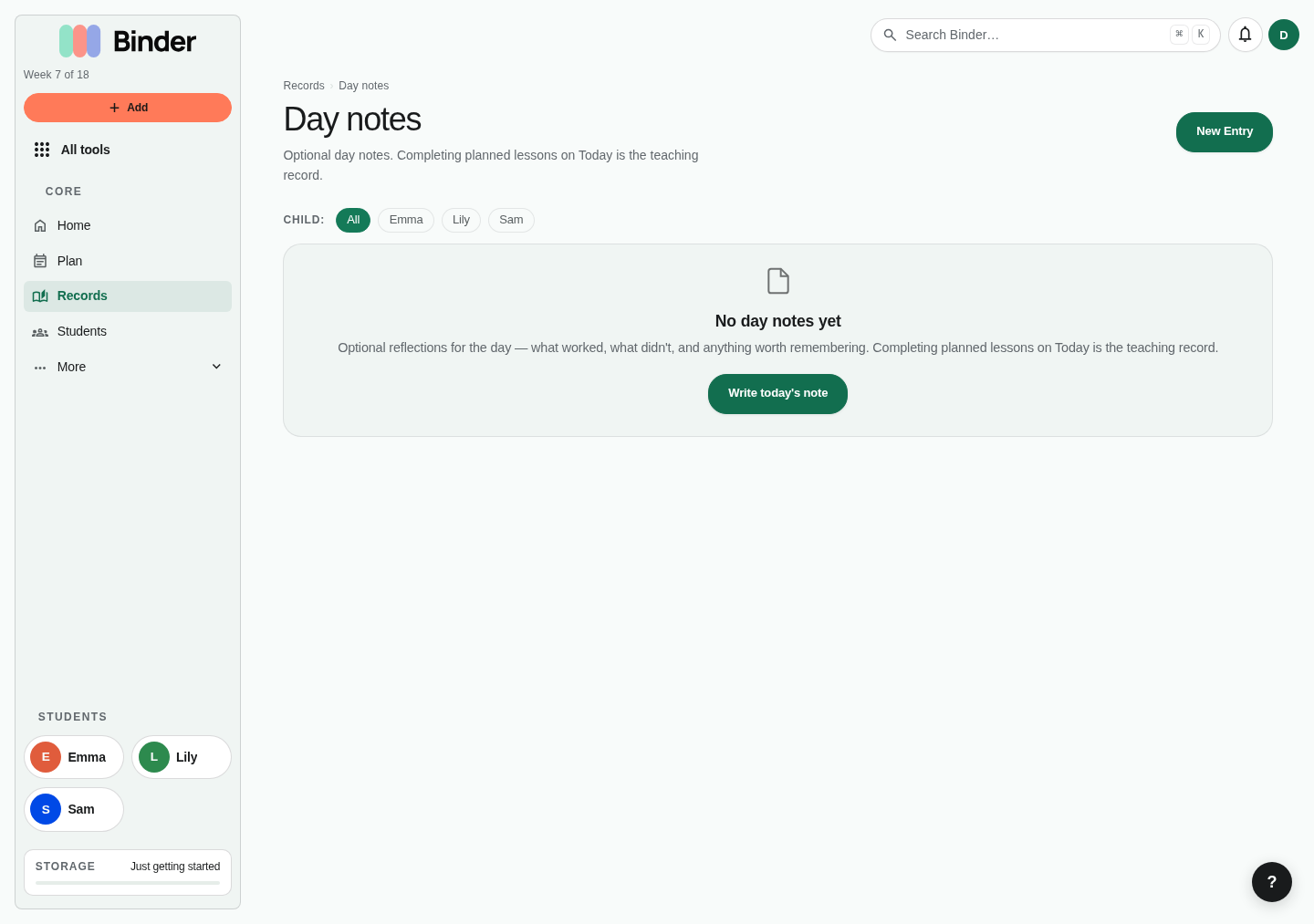
Learning days appear in the Records feed and can be included in portfolios. There is no separate Day notes tool any more; older Day notes links open the matching day or Log learning.
For unschooling and eclectic families, logged learning days are often the primary record: a year of them is the portfolio.
Outside Time
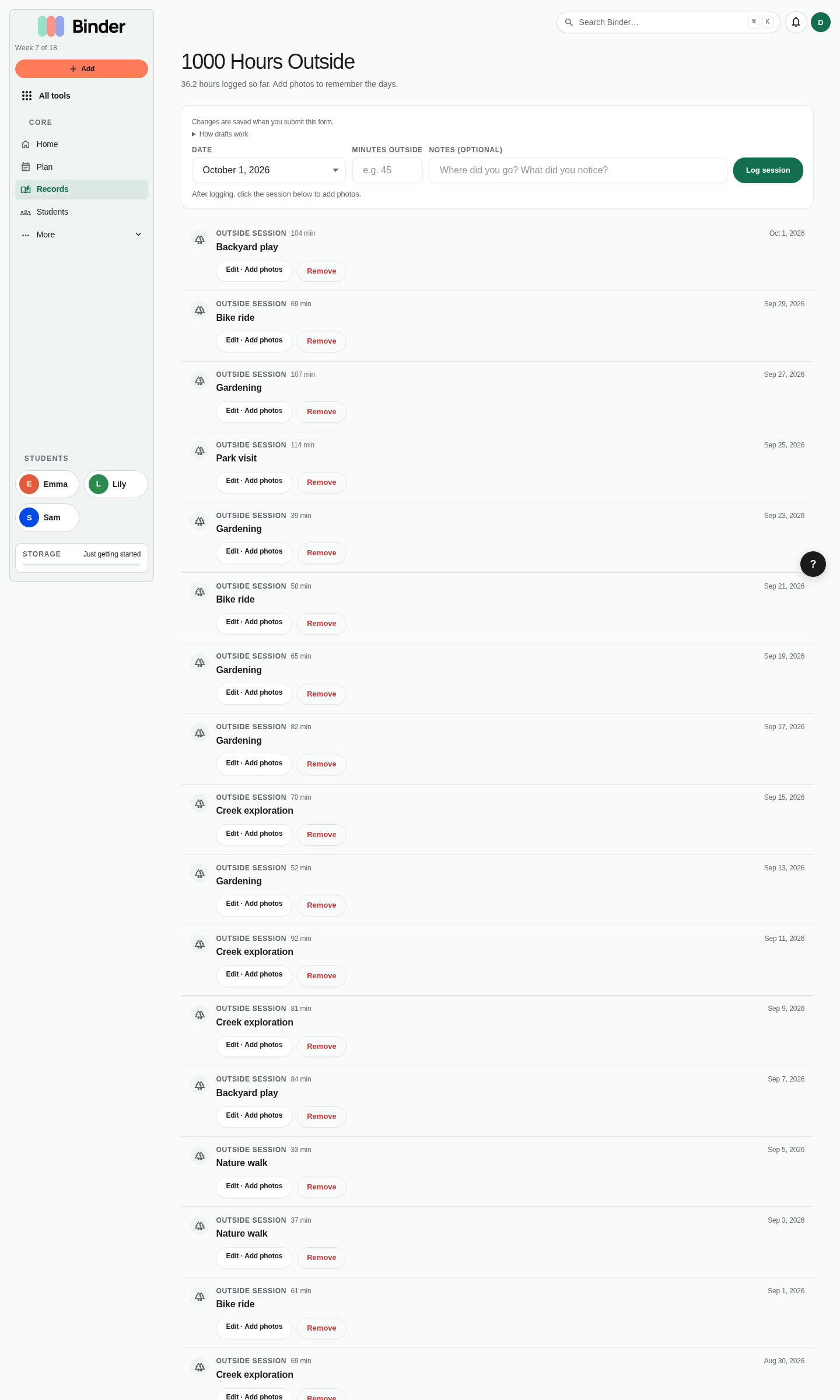
Outside Time tracks cumulative outdoor time for your family. Many homeschool philosophies — especially Charlotte Mason — have specific outdoor time goals (Charlotte Mason herself recommended six hours outdoors per day for young children). Binder lets you log each session and see your total across the term.
Go to All tools → Outside Time. Click New Session. Enter the date, duration in minutes, and any notes about what happened outside. Attach photos to document nature time, seasonal play, or outdoor projects. Your total outdoor hours accumulate in a progress gauge visible on the dashboard.
Outside sessions are family-level records (not per child) since outdoor time typically happens together. They appear in the portfolio feed and can be referenced in annual reviews as evidence of physical activity and time in nature.