Getting started
Set up Binder in one quiet pass.
The goal isn't to configure everything perfectly on day one. It's to create enough structure that tomorrow's homeschool day has a place to land. Start small. Binder grows with you.
Visual setup tour
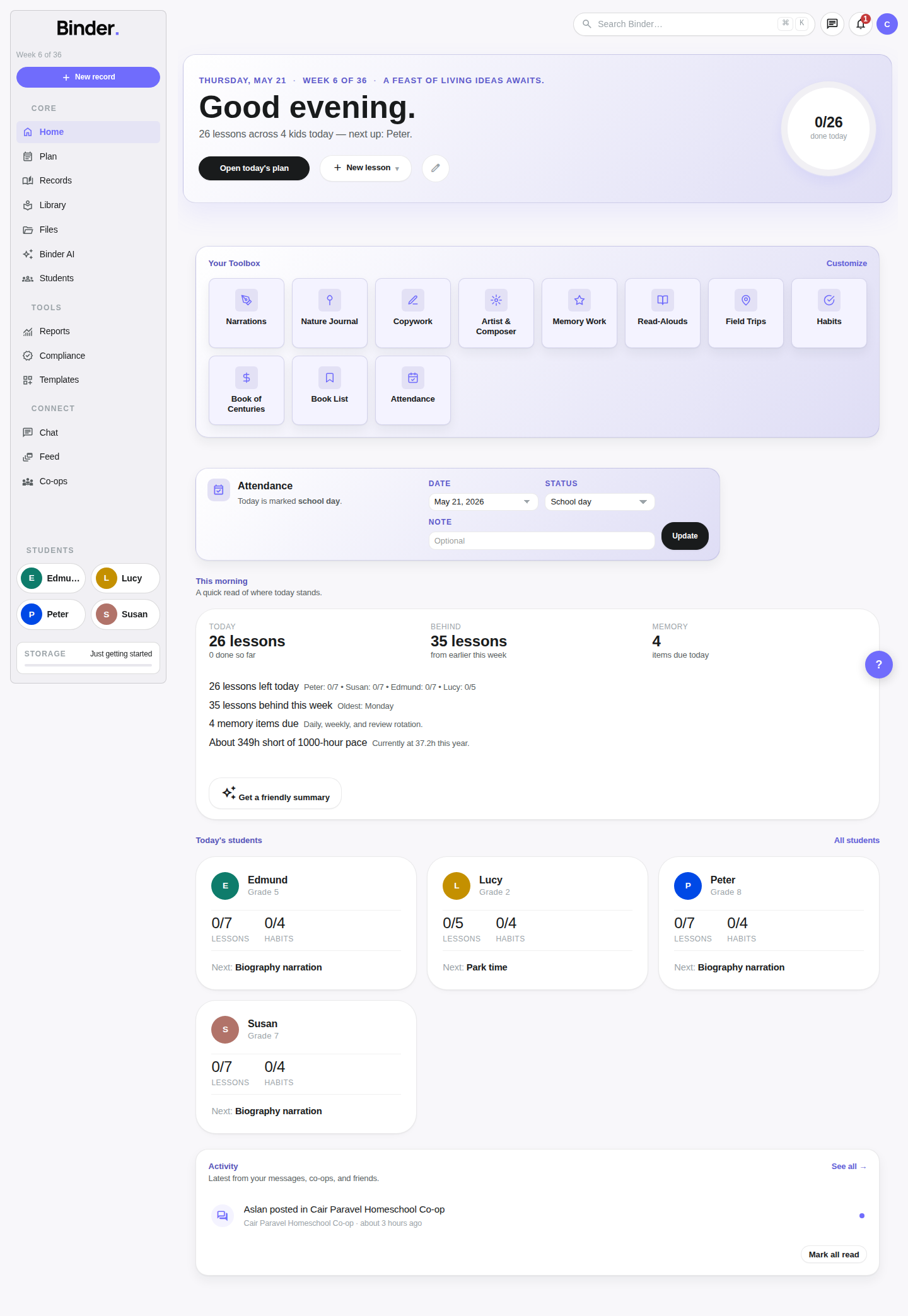
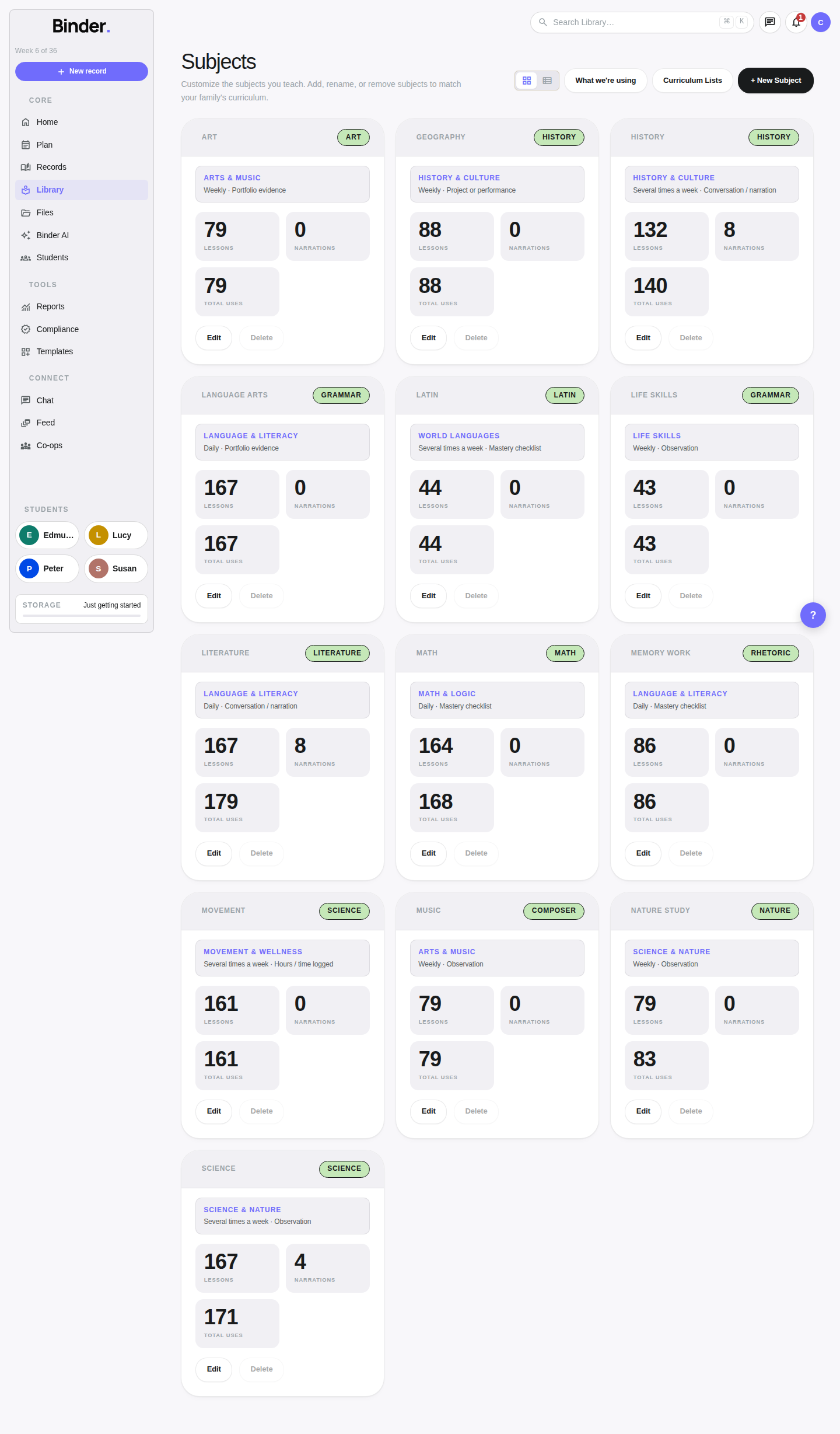
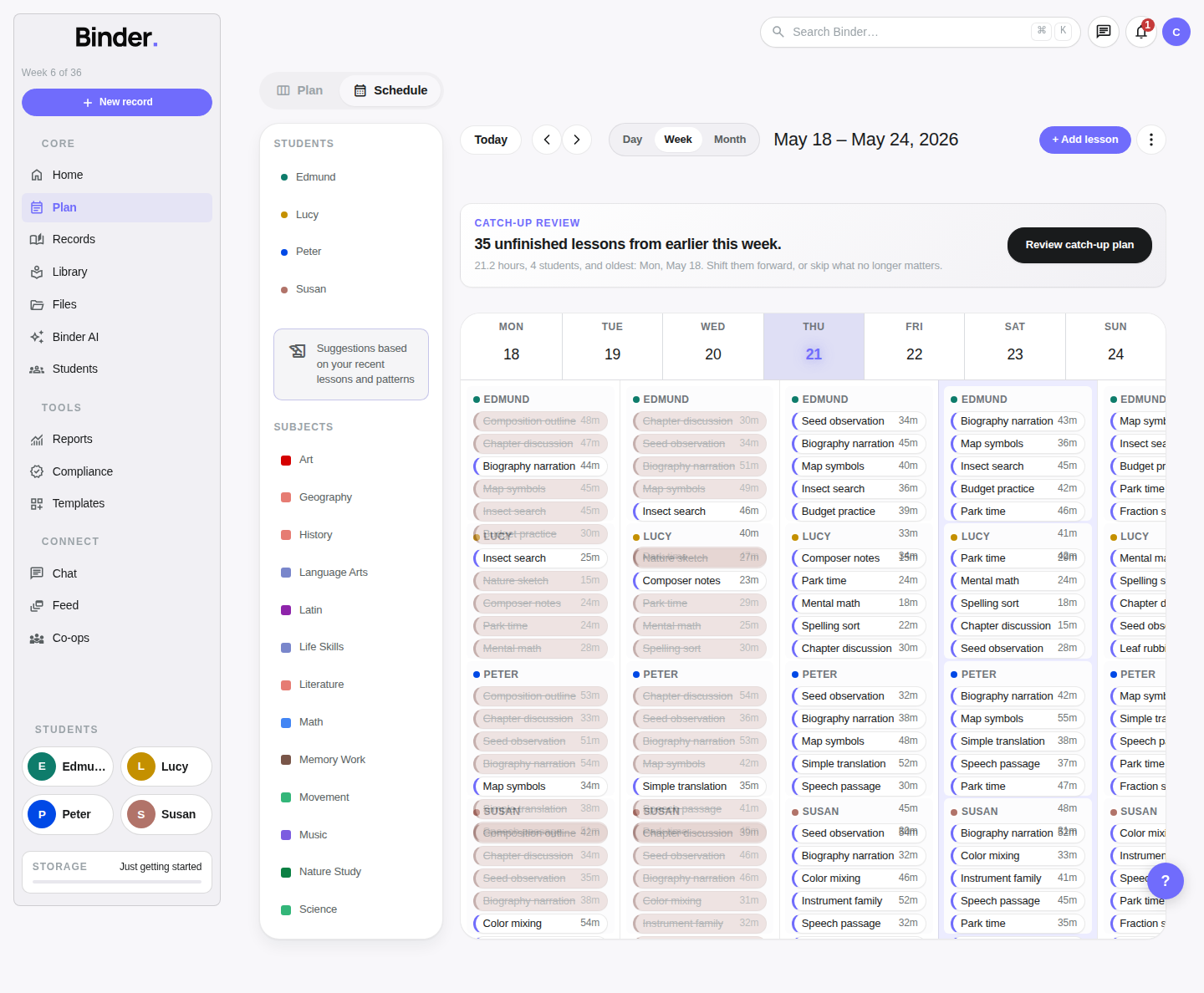
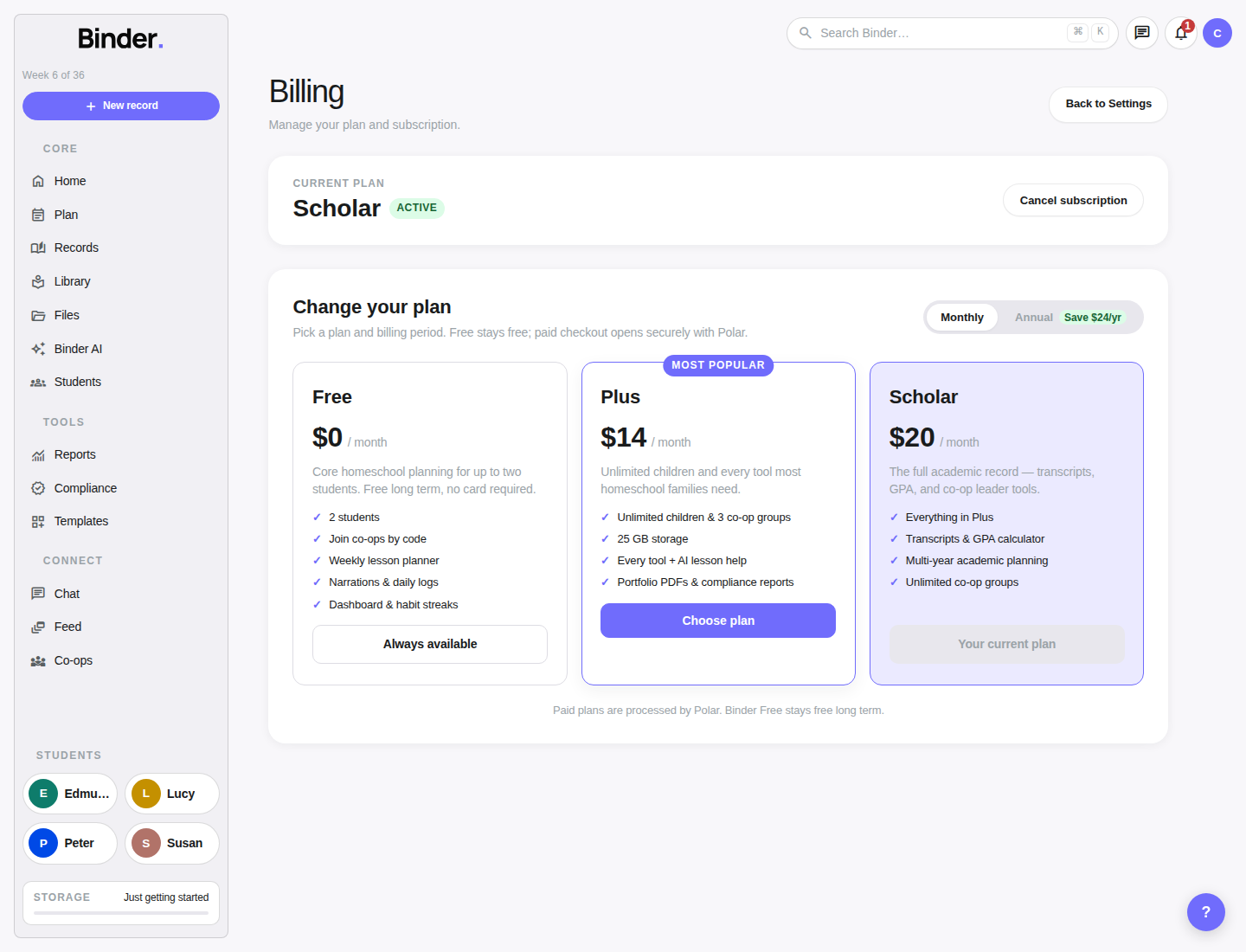
These production screenshots show the first places a new family will use after onboarding: the dashboard, subjects library, planner, and billing page.
Create your account
Sign up at binder.school with your email address and a password. You'll receive a confirmation email — click the link to verify your address and you'll be taken straight to the setup wizard.
Every new account automatically starts on the Free plan. No credit card is required to begin. You can use Binder for up to two students, create a term, and start planning before deciding whether to upgrade.
If you prefer not to use AI features, you can disable them during setup — and re-enable them at any time from Account Settings. Binder's planning and recordkeeping tools are fully functional without AI.
The onboarding wizard
After signing in for the first time, Binder walks you through a short setup sequence. It takes about five minutes and shapes how the app presents itself to your family going forward.
Experience level
Select whether you're new to homeschooling, have some experience, or are a seasoned homeschooler. This changes the dashboard intro and the default tool suggestions Binder presents.
Homeschool method
Choose your primary approach: Charlotte Mason, Classical, Montessori, Waldorf, Unschooling, Eclectic, Unit Studies, or Traditional. Not sure? Take the optional method quiz — a handful of questions that suggests the best fit. Your method shapes the dashboard language, icon priorities, and AI suggestions. You can change it anytime in Account Settings.
AI & theme
Opt into or out of Binder AI. Choose your display theme (light or dark). Both settings sync across all devices and can be changed at any time from Account Settings.
Add your students
Add each child you'll be teaching. At minimum, provide a name and grade level (Pre-K through 12). You can come back and add children at any time, or add a profile photo and detailed notes later.
Create your first term
Set a start date, end date, and optional attendance goal for your school year or semester. Binder uses this date range to count weeks, track progress, and scope compliance reports. You can skip this step and set up a term later.
Once the wizard completes, Binder takes you to your dashboard. You can revisit any of these settings — method, AI, children, terms — from Account → Settings at any time.
Add children
Navigate to Children in the sidebar to add, view, or edit student profiles. Each child you add gets their own dedicated space in Binder: lesson history, narration log, book list, portfolio feed, habit tracker, and — at the Scholar plan — a high school transcript.
Required fields
Name, grade level (Pre-K through 12th), and a display color. The color helps distinguish children everywhere lessons appear — in the week planner, on the dashboard, and in reports and exports.
Optional fields
A profile photo (avatar), a learning stage note, and private account notes. These notes are private to your account and never appear in shared views, portfolios, or exports unless you choose to include them.
On the Free plan, you can add up to 2 students. Upgrade to Plus or Scholar for unlimited children. Each child's profile page shows a summary of lessons this term, hours logged, subject breakdown, active books and read-alouds, and evidence coverage (the percentage of lessons that have files attached as proof of learning).
Create your first term
A term gives Binder a time frame for your school year or semester. It drives the week counter, scopes compliance progress, and filters your portfolio and progress reports. You can have multiple overlapping or sequential terms and duplicate a past term to start a new year without re-entering everything.
Date range & name
Give your term a descriptive name like "2024–25 School Year" or "Spring Semester." Enter your start and end dates. Binder will display your current week number (e.g. "Wk 12 of 36") in the top navigation once a term is active.
Attendance goal & state
Enter your target number of instructional days. Optionally link your US state — Binder will pull that state's required days, hours, and subjects and compare them to your actual progress throughout the year in the Compliance Profile dashboard.
Manage terms from Formal Records → Terms or via the Compliance section. To start next year, use the Duplicate option on your existing term — it copies the structure without the lessons.
Add subjects
Subjects organize lessons by topic area. Every lesson you create is tagged with a subject, which lets Binder group your logged hours in reports and map them against state-required subject categories in compliance tracking.
Go to Library → Subjects to create subjects. Each subject needs a name and a display color. Subjects are shared across all children and all terms — you create them once and reuse them everywhere.
There's no fixed list. Name subjects to match your curriculum or philosophy. Examples: Mathematics, Language Arts, Literature, History, Science, Latin, Art, Music, Physical Education, Logic, Nature Study, Philosophy. Charlotte Mason families often create subjects like "Narration," "Copywork," or "Handicrafts" to accurately represent their day. Classical families commonly track "Memory Work" and "Dialectic" as separate subjects.
Create your first lesson
With a child, term, and at least one subject in place, you're ready to plan. The fastest way is from the Week Planner (Plan in the sidebar).
Open the planner
Navigate to Plan → Planner. You'll see a week grid with columns for each day and rows for each child. The current week is shown by default.
Add a lesson
Click any date cell or the + button. A lesson form appears: select the child, subject, date, and fill in a title (e.g. "Chapter 4 — Fractions"). Optionally add a duration in minutes and rich-text notes.
Build out your week
Keep adding lessons until the week reflects what you plan to teach. Think of it as a schedule, not a contract — you can move, edit, or remove lessons at any time.
Teach and mark complete
After teaching a lesson, check it off from the planner or lesson detail view. Binder logs the completion time and automatically counts the lesson toward that day's attendance and hours totals.
What changes by plan
Binder has three plans. Free is always available, and you can upgrade at any time from Account → Billing.
🪴 Free
- Up to 2 children
- 1 GB file storage
- All daily tools (narrations, habits, memory work, read-alouds, nature journal, field trips, copywork, cultural study, daily journal, book list, outside time)
- Attendance and compliance tracking
- Portfolio feed and rich-text records
- AI assistant (5,000 tokens / month)
🌿 Plus
- Unlimited children
- 30 GB file storage
- Copy week (duplicate all lessons to next week)
- AI lesson generation and full week drafting
- Compliance PDF reports
- Portfolio PDF export
- AI assistant (50,000 tokens / month)
🌳 Scholar
- Everything in Plus
- 100 GB file storage
- High school transcript creation and PDF export
- Advanced analytics and multi-year planning
- Bulk artifact export (ZIP download)
- AI assistant (500,000 tokens / month)