Core workflows
Plan. Teach. Log. Record.
Binder works best when it follows the natural rhythm of homeschool life rather than trying to turn your home into an institution. These four steps — plan, teach, log, record — are the backbone of how most Binder families use the app.
Workflow screenshots
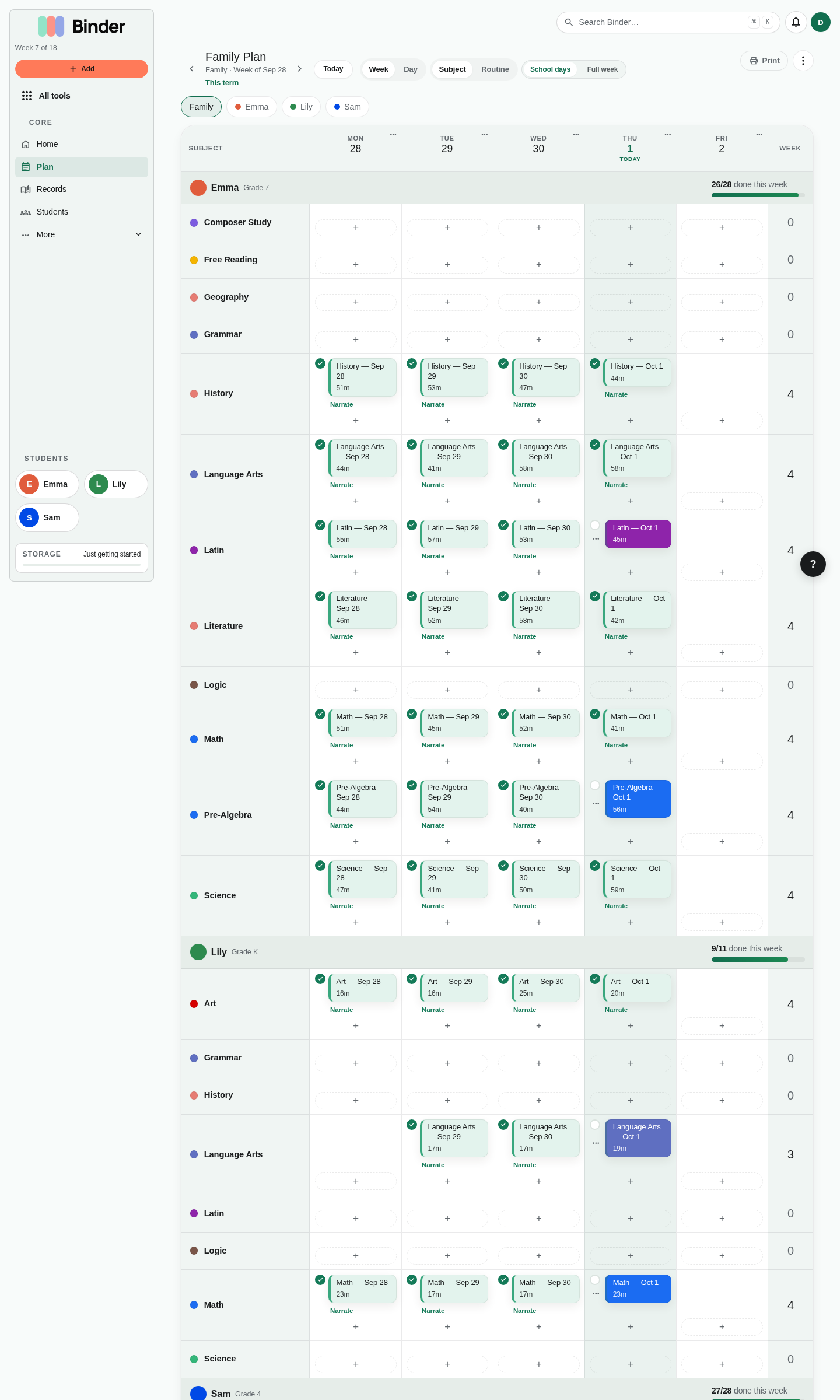
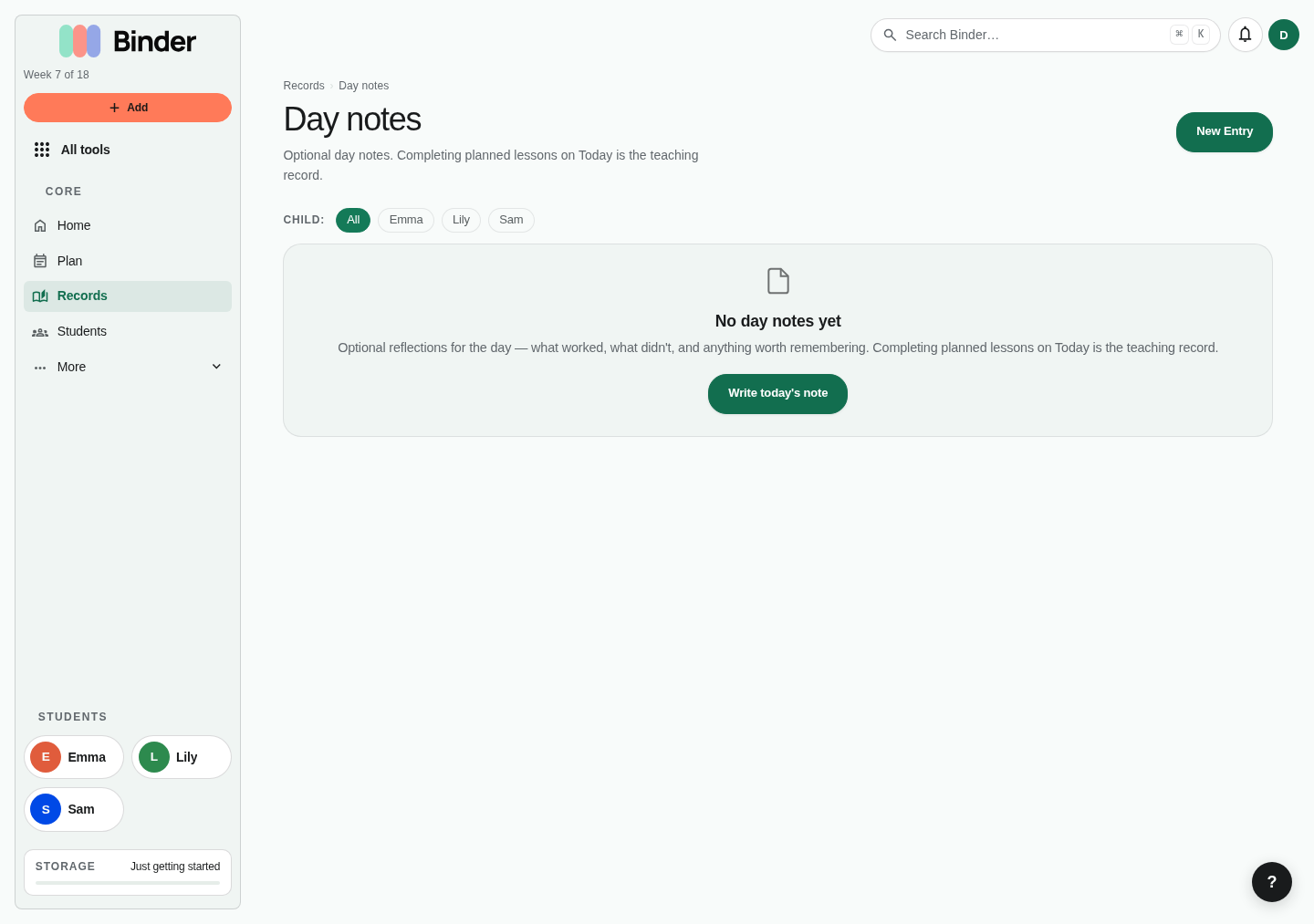
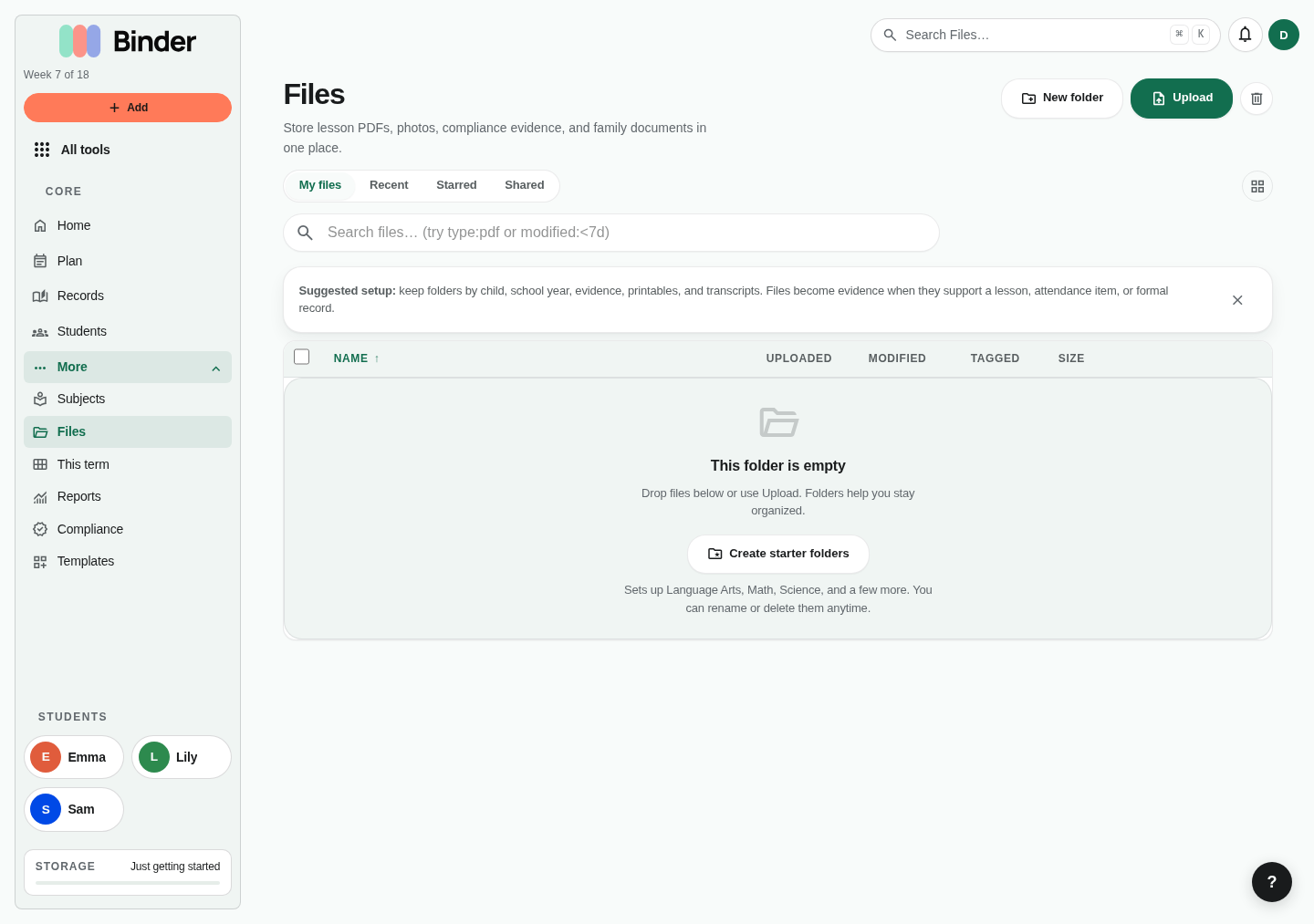
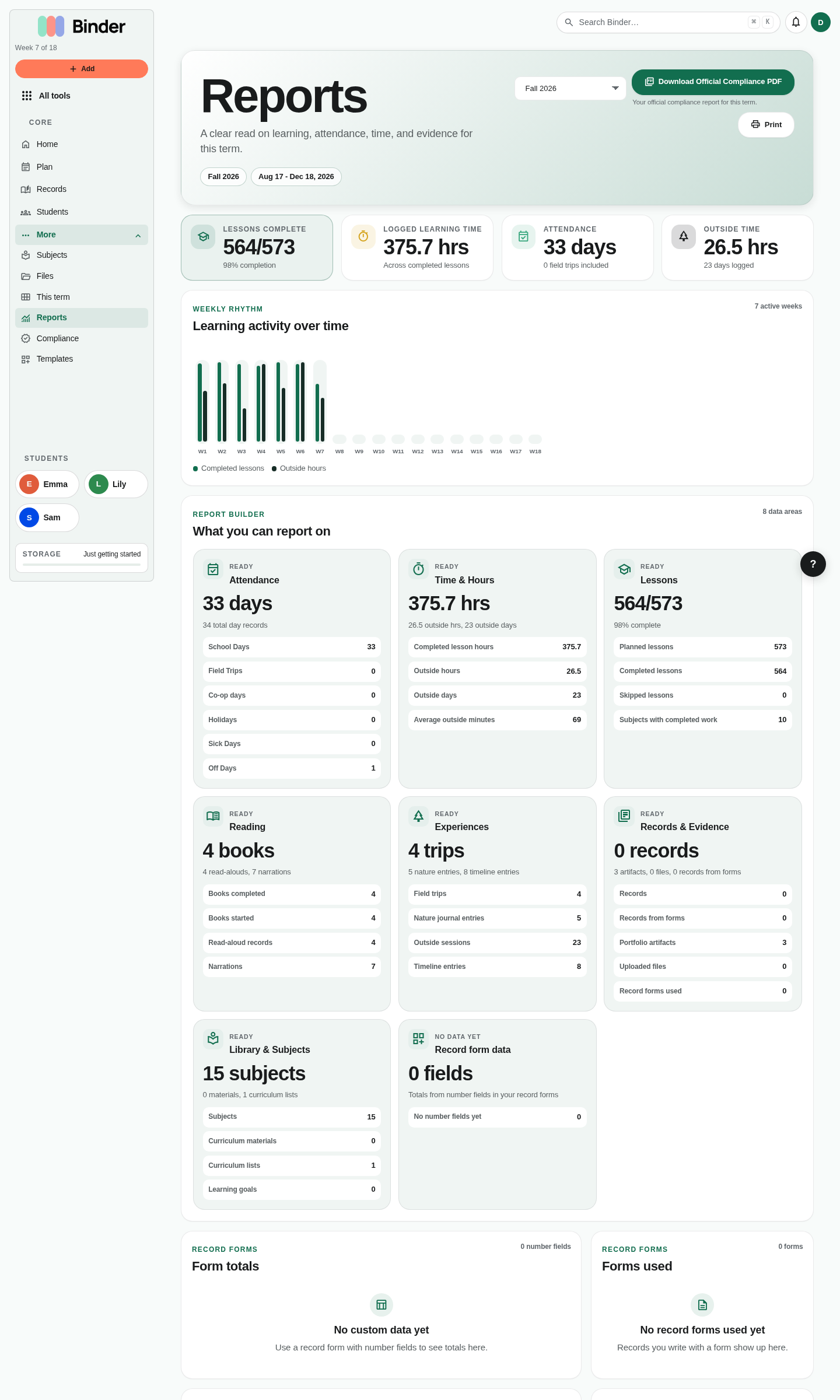
A normal Binder week moves from planning to logging, then into evidence, reports, and records.
The daily rhythm
The most effective Binder rhythm is simple and sustainable. Most families settle into something like this:
Sunday evening: Plan the week
Open Plan. Draft lessons for each child, or fill the next weeks from a curriculum list. Mark co-op days, field trips, and days off from each day's menu. Don't over-plan. Binder can hold a lot; you don't need to fill every slot.
During the day: Teach
Teach from Today on Home and check each lesson off as you finish it. That check is the record. If a lesson runs long or gets skipped, move it on Plan. Binder won't penalize you for a plan that reflects real life.
End of day: Add the extras
Planned lessons are already recorded once they're checked off. Use Log learning only for what wasn't on the plan: an unplanned lesson, a photo, a narration, or a note about the day. If nothing extra happened, you're done.
Term end: Review and record
At the end of each term, review what was completed, generate a progress report, finalize attendance, and write a portfolio record or annual narrative using Binder's record templates. Export what you need for evaluators, your state, or your own archive.
Weekly planning workflow
Plan is your primary planning surface. Here's how most families approach the weekly planning session:
- Review last week first. Open Review your week from Home. Binder reads the week back to you: what was completed, what moved, what still needs a decision, and how many lessons are worth reusing.
- Start with what repeats. From the review, choose the lessons that should happen again and preview next week. The preview is free on every plan and writes nothing; saving the copies is Plus. Copies start unfinished so next week's checkboxes are fresh.
- Add one-off lessons. Field trip this Wednesday? Mark the day as a field trip from its menu on Plan, and log it in Field Trips if you want photos and notes. Guest speaker? Add it. Don't be afraid to have more lessons than you'll complete — the incomplete ones are just skipped, not penalized.
- Check your compliance coverage. If your state requires a minimum of hours in specific subjects, glance at the Compliance Profile before closing the planner. Are you light on Science this week? Add a nature journal session or a lab lesson.
- Consider your children individually. The planner shows each child's column side by side. Make sure each child is appropriately planned — the younger child might have fewer lessons, or one child might be working through a project week.
Daily logging
The plan alone proves nothing; checking lessons off is what creates the legal and portfolio record of what was actually taught. Each thing is recorded once: planned lessons by their check on Today, and everything else through Log learning or its own tool.
Check off planned lessons
Check off each lesson you taught on Today. This records it, adds to subject hour totals, and counts the day as a school day. It's the single most important daily action in Binder, and there's no need to log those lessons again.
Log the day (optional)
If you want to, write two or three sentences about the day in Log learning, with book progress and a narration summary under Reading & narration. It captures what check-offs can't. It is a note, not a second record of the lessons.
Log narrations, books, habits
If a child narrated after reading, log it. If they finished a chapter book, mark it in the book list. If you did habit practice, check off the habit. These don't take much time individually and they dramatically enrich the portfolio.
Capture field trips and special days
If today was a field trip or unusual educational event, log it in Field Trips. This creates a permanent record with date, location, and context — exactly what's needed for compliance or an annual portfolio review.
Home shows each child's lessons and due memory work for today. For anything that wasn't planned, Log learning saves a note, reading and narration, attendance, an optional completed lesson, and a photo in one pass, then opens that child's learning day for the date. Minutes logged without a subject count toward total hours as time not tied to a subject. When you come back tomorrow, Home picks up where you left off: a draft you were writing, today's plan, or a fresh capture with your last record one click away.
Capturing evidence
Evidence — also called artifacts — is any file you attach as proof of a lesson, narration, project, or activity. Evidence is optional but powerful: it transforms a completion check into a verifiable record. A portfolio with evidence is much stronger than a log alone when it comes to evaluations and state reviews.
What counts as evidence
- A photo of a completed worksheet
- A scan of handwritten copywork or narration
- A video of an oral narration or presentation
- A PDF of a completed test or essay
- A photo from a field trip or nature journal session
- A recording of a musical performance or memorized poem
Attaching evidence
Open a lesson and use Add evidence, or add a photo when you use Log learning. Binder accepts PDF, image, video, audio, and document files up to 100 MB per file.
Evidence coverage
Each child's profile page shows an evidence coverage percentage — the share of completed lessons that have at least one artifact attached. Aim for 30–50% coverage for a well-documented portfolio. You don't need evidence for every lesson, but the lessons that matter should have it.
Evidence gallery
Every photo and file is in Records → Photos & evidence. Filter by student, subject, or type, and open any item to get back to its lesson or day. On Scholar, Records → Export can bundle chosen files into a ZIP for an evaluator or offline backup.
End-of-term review
At the end of each term — whether that's a semester, a full school year, or a custom block — Binder gives you everything you need to close out the year cleanly and prepare for what's next.
Review and finalize attendance
Open the Attendance calendar and verify each day. Adjust any days that were logged incorrectly. Binder shows your final school day count against your attendance goal and your state's requirement.
Generate your progress report
Open Reports (under More). Generate a term progress report showing all lessons completed, total hours by subject, attendance days, books read, and narrations logged. On Plus and Scholar plans, export this as a formatted compliance PDF ready for evaluators or state records.
Write a portfolio record
Go to Records → New Record. Choose a record template (like "Annual Narrative" or "Portfolio Summary"). Binder auto-populates the template with real data from your term — lessons, hours, books, narrations, subjects. Edit and personalize the draft, then save it to the portfolio.
Duplicate the term for next year
Open This term and click Manage dates. Use Duplicate on the completed term to create a fresh term for next year. The structure (subjects, templates) carries over; the lessons and logs do not. You're ready to start planning the new year immediately.