Homeschool methods
Binder adapts to how your family teaches.
Choose a method during setup to shape the app's language and dashboard tools. You can mix and match features freely regardless of the method you choose — these guidelines are recommendations, not restrictions.
New to homeschool styles?
If the method names are still new, start with the beginner homeschool styles guide. It explains the major approaches in plain language, shows what a day can look like, and maps each style into Binder.
Method screenshots
Binder supports different homeschool philosophies by combining planning, daily tools, portfolio records, and reporting in flexible ways.
Charlotte Mason
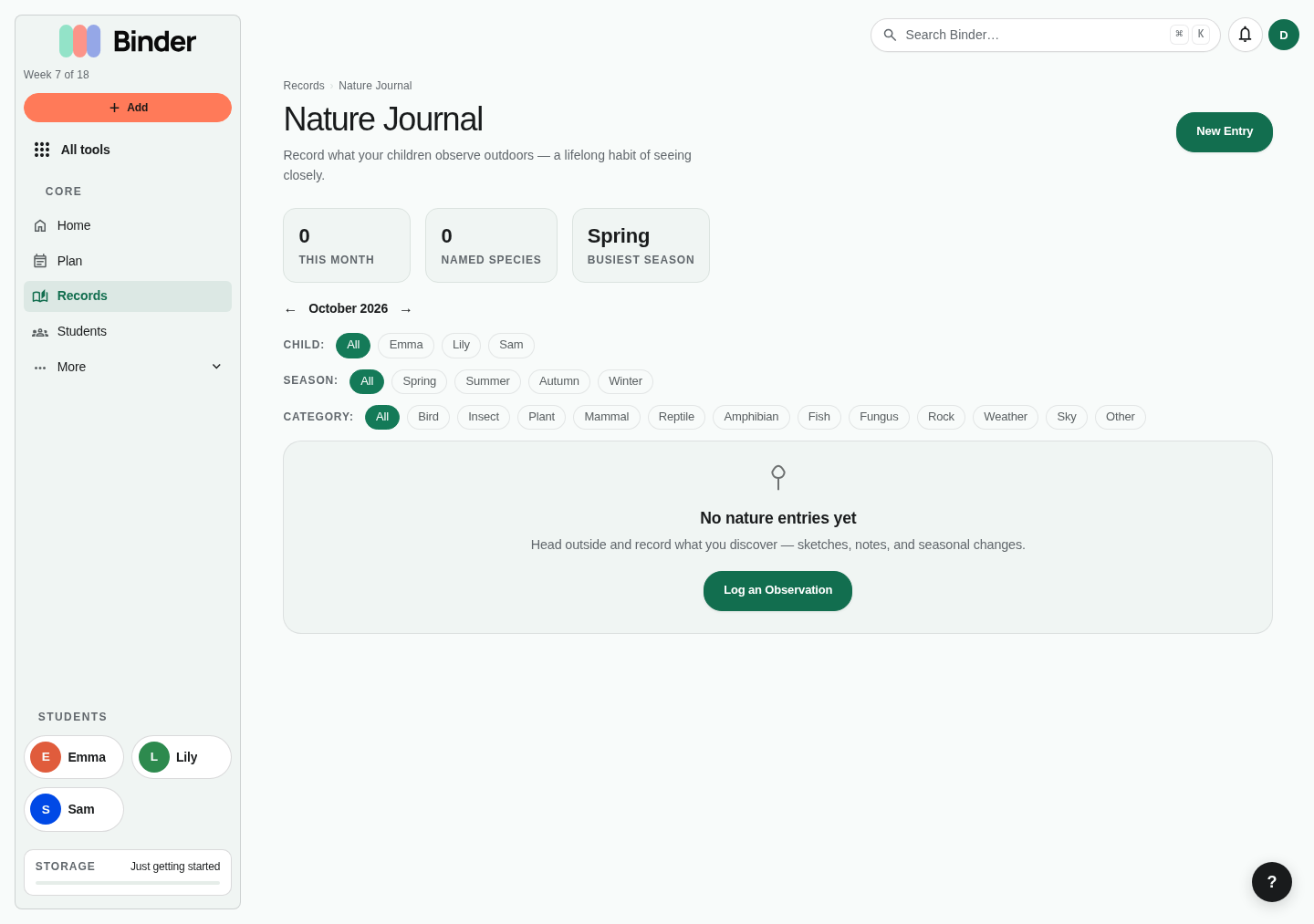
Charlotte Mason education centers on living books, narration, short lessons, nature study, habit training, and an atmosphere of ideas. Binder's most Mason-aligned tools are narrations, nature journal, copywork, artist/composer study, and the Book of Centuries (timeline).
Primary tools
- Narrations — Log oral and written narrations after every reading. Link them to the source book for a clear record.
- Nature Journal — Record species, observations, locations, and photos for each nature session.
- Copywork & Dictation — Track passages copied and mastered, with the source text and date for each entry.
- Artist & Composer Study — Manage artist rotations, mark individual works as studied, and build a multi-year cultural record.
- Habits — Track Charlotte Mason habit training (obedience, attention, truthfulness) without turning them into grades.
Tips
- Create subjects like "Nature Study," "Narration," "Copywork," and "Handicrafts" to match Mason's subject language.
- Keep lessons short in the planner — Mason recommended 15–20 minute lesson slots for younger children.
- Use the Book of Centuries (timeline entries) for a child's growing historical chronology.
- Log read-alouds for all living books read to multiple children simultaneously.
- Use Log learning's Reading & narration section for the day's book progress and narration summary, and to capture the richness of a Mason day that lesson check-offs alone won't cover.
Set up in Binder
- Make a curriculum list for each book's reading schedule and place it one per week (All tools → Curriculum Lists).
- Check off the reading on Today, then tap Narrate on that row. The narration is saved with the book as its source.
- Put family subjects like morning time or composer study on Plan once and tick Also add for your other children.
- At term's end, start a Term exams tracker (All tools → Custom Trackers) for exam questions and narrations.
Classical
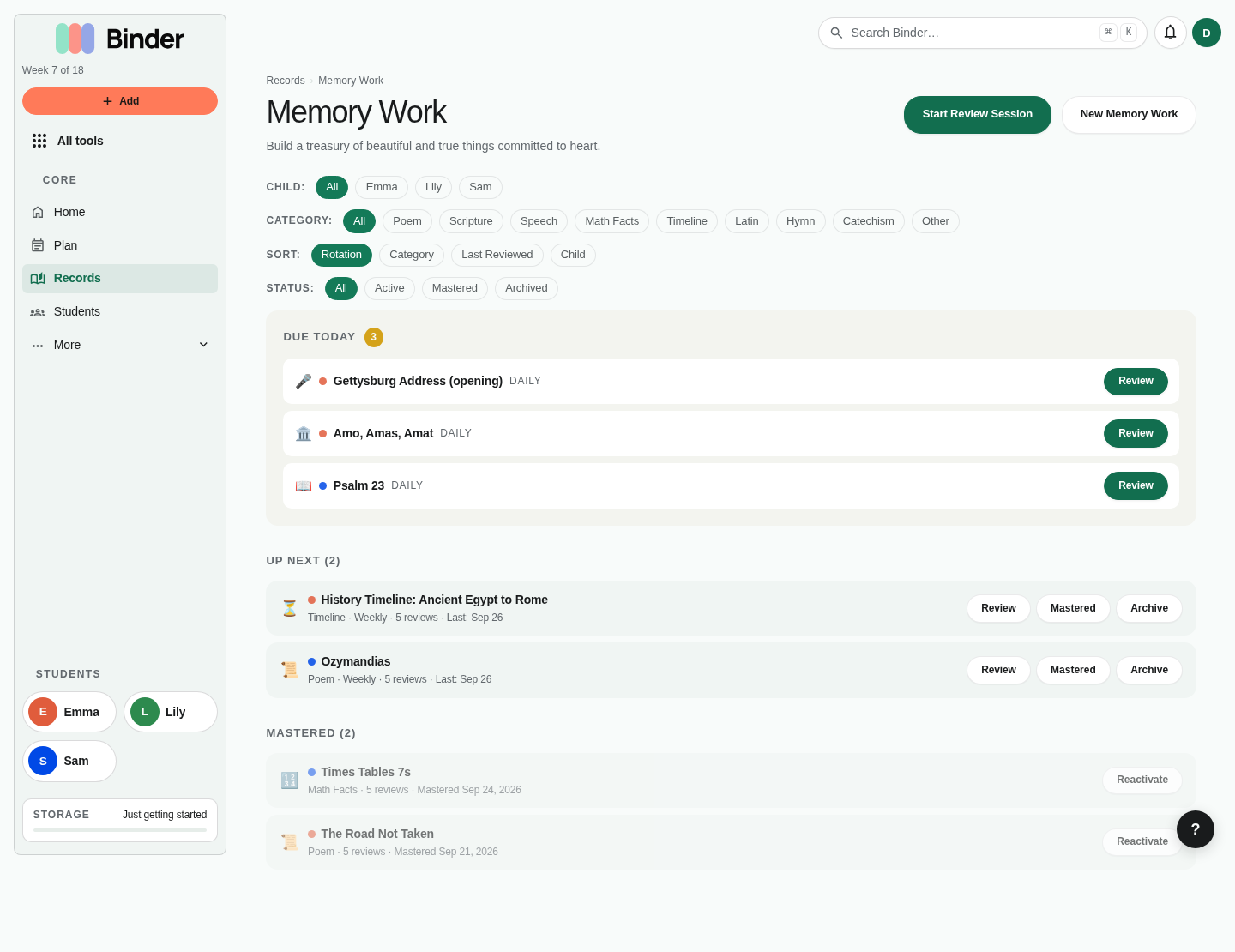
Classical education follows the medieval trivium — grammar, logic, rhetoric — typically mapped to developmental stages. It emphasizes memory work, great books, history cycles, and rigorous academics. Binder's memory work tool with spaced repetition is the most powerful feature for classical families.
Primary tools
- Memory Work — Enter Latin declensions, grammar rules, history facts, timeline events, and poetry. The spaced repetition algorithm schedules reviews based on your child's confidence so nothing is lost.
- Book of Centuries — Build and maintain a historical timeline per child (All tools → Book of Centuries).
- Curriculum lists and This term — Enter a curriculum's lessons in order, then fill them onto future weeks so each week gets the next lesson. Mark co-op days on Plan; they count as school days. See Planning the year.
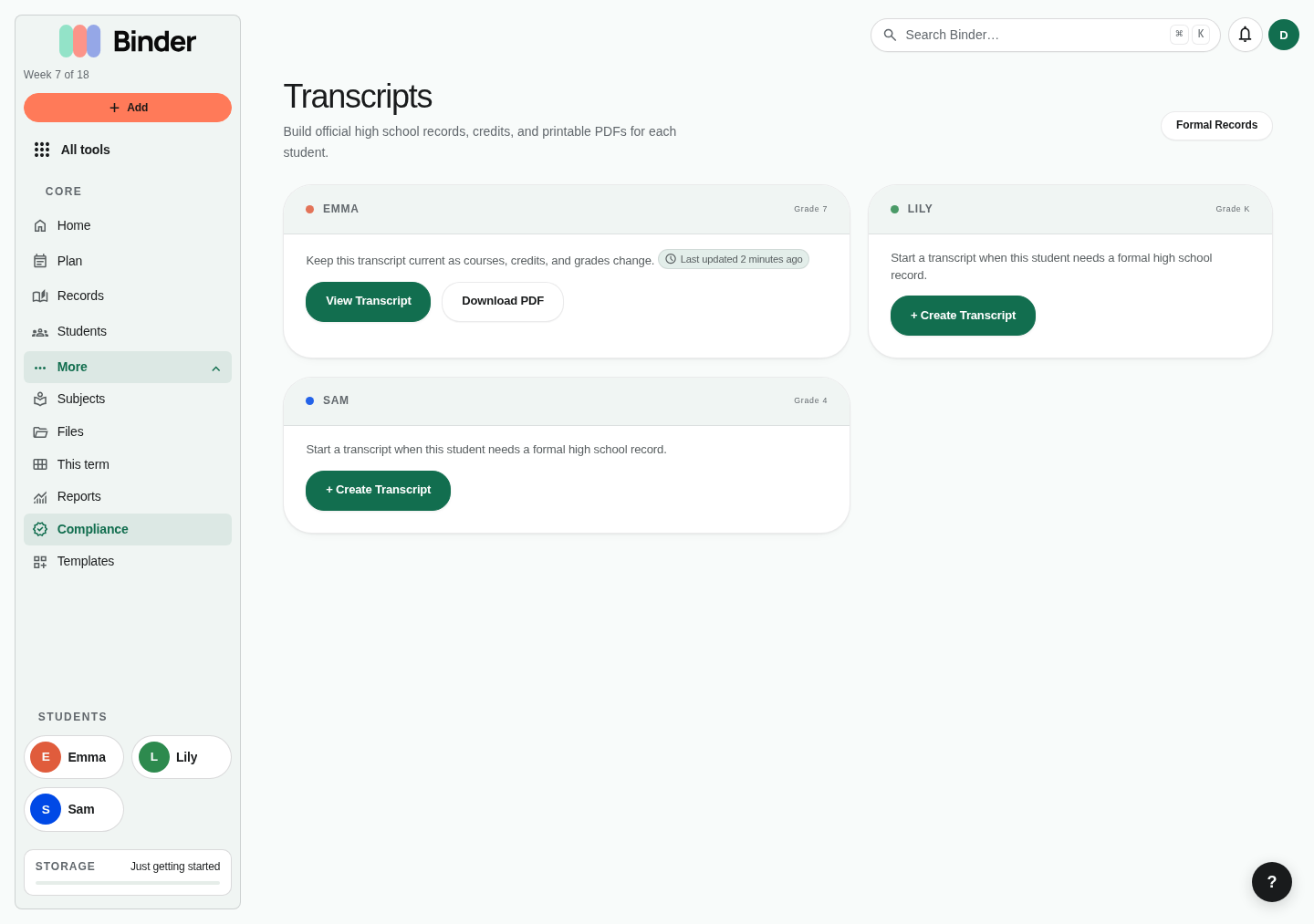
- Transcripts — Create high-school courses with credits, grades, and GPA for college preparation (Scholar plan).
- Records — Write formal annual narratives or portfolio records for each child using the rich-text editor.
Tips
- Tag history lessons with cycle numbers (Cycle 1, Cycle 2, Cycle 3) using subject colors to spot cycle coverage in reports.
- Use memory work categories: Latin, math facts, grammar, poetry, scripture to organize the review queue by type.
- For the logic and rhetoric stages, use the rich-text lesson notes for dialectic questions and rhetoric assignments.
- Start tracking high-school courses as formal transcript courses by 9th grade so credits are clean when graduation arrives.
Set up in Binder
- Enter each subject's sequence as a curriculum list and place it one per week or one per school day. The list shows when you'll finish.
- Keep recitation in Memory Work; due pieces show on Today, and mastered ones move to the Mastered filter.
- Mark co-op days as Co-op from the day's menu on Plan. They count as school days.
- Tap Narrate after a finished reading on Today; keep scores in a Grade book tracker.
Montessori
Montessori education is child-led, hands-on, and organized around developmental planes rather than grade levels. Records in Montessori are observation-based — what did the child choose, what did you observe, what materials were used. Binder's Log learning and narration tools are the natural fit for Montessori documentation.
Primary tools
- Log learning — Record what the child chose to work on, what you observed, which materials they used, and any breakthroughs or areas still developing.
- Trackers — Create custom grid trackers for developmental areas (practical life, sensorial, language, mathematics, cultural studies, arts). Mark each skill as introduced, developing, or mastered.
- Artifacts — Attach photos of in-progress work, completed projects, and material explorations directly to lessons or journal entries.
Tips
- Create subjects that map to Montessori areas: Practical Life, Sensorial, Language, Mathematics, Cultural Studies, Arts and Crafts.
- Use the tracker custom columns to log skill progression: "Text" columns for notes, "Checkbox" columns for mastery, "Date" columns for introduction dates.
- The portfolio feed with photo evidence is especially strong for Montessori documentation — evaluators and reviewers respond well to visual portfolios.
- Binder's grade level setting can be set to developmental stage rather than chronological age if that better reflects your work.
Set up in Binder
- Home opens on Log learning: record the work your child chose and what you noticed. You don't have to plan lessons first.
- Start a Presentations tracker (All tools → Custom Trackers) for each material: presented, practicing, mastered.
- Switch Plan to Routine to see work cycles instead of subjects, if you plan at all.
- Photos of work land in Records → Photos & evidence and in portfolios.
Waldorf
Waldorf education follows a developmental curriculum tied to the seasons, integrating arts, stories, movement, and main lesson block teaching. The main lesson book — a child-created illustrated record of each topic — is central to the Waldorf approach. Use Binder to plan blocks, log sessions, and build a photo-rich portfolio of main lesson work.
Primary tools
- Planner — Plan main lesson blocks as multi-week runs of the same subject for the same child. The week planner makes block scheduling visual.
- Artist & Composer Study — Integrate seasonal art study and seasonal music into your cultural study record.
- Nature Journal — Document seasonal nature observations, plant and animal cycles, and outdoor nature work.
- Artifacts — Photograph main lesson book pages, watercolor paintings, handwork projects, and seasonal displays as evidence of the term's learning.
Tips
- Use subject colors to distinguish block subjects. When a main lesson block ends, the color usage in reports clearly shows when each block ran.
- Log learning is perfect for capturing the narrative of a Waldorf day — festivals, seasonal activities, story recapping, and circle time.
- Use lesson notes to record the story or verse used in each session as a reference for the main lesson book.
- Create a "Handwork" or "Crafts" subject to track eurythmy, knitting, woodwork, and seasonal crafts separately from academic block work.
Set up in Binder
- Plan each main lesson block as a curriculum list placed one per school day for its three or four weeks.
- Keep a Main lesson blocks tracker for each block and whether its main lesson book is done.
- Photograph main lesson book pages with Log learning; they appear with the day and in Photos & evidence.
- Switch Plan to Routine to see main lesson, practical work, and outdoor time instead of subjects.
Unschooling
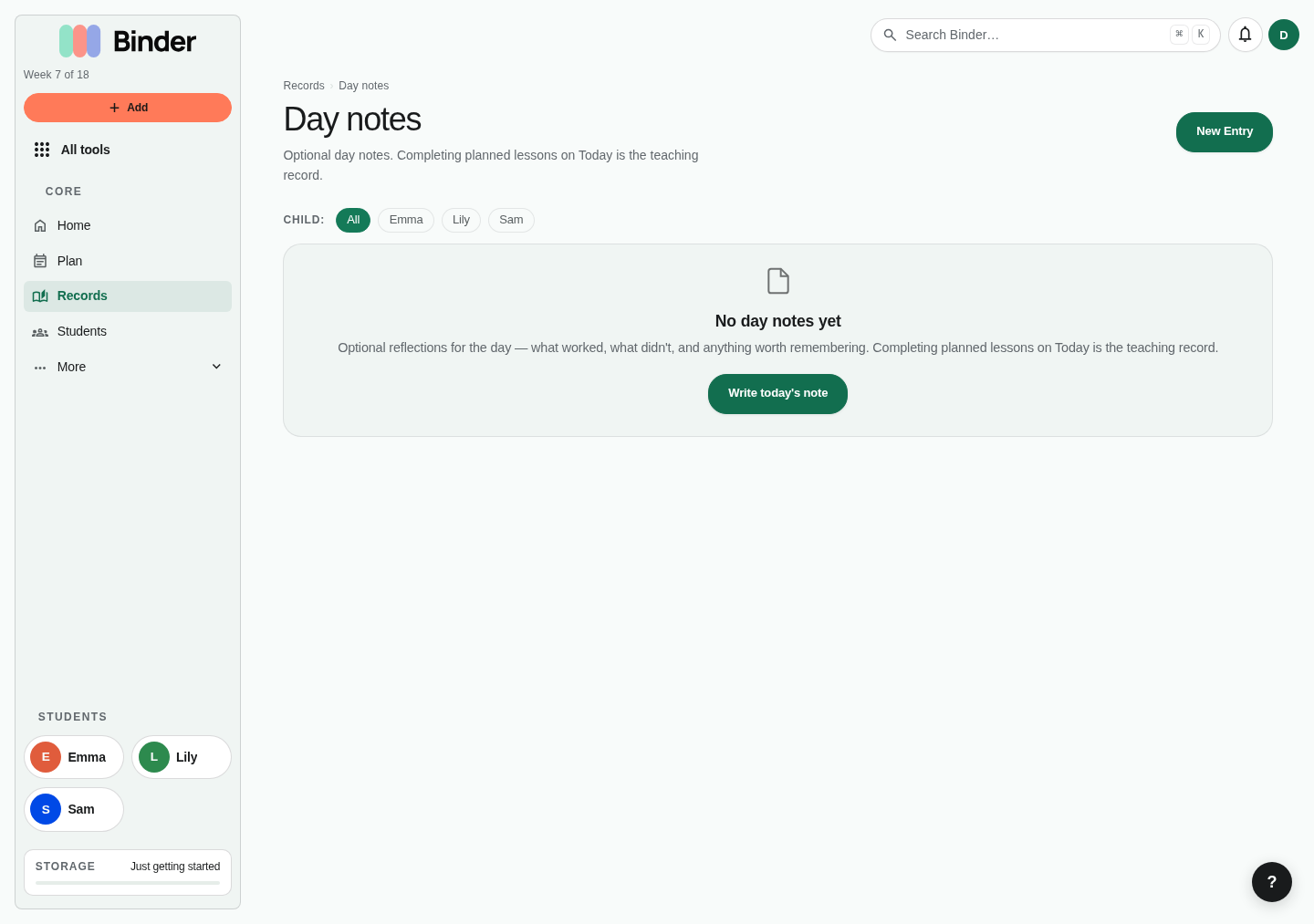
Unschooling — child-led, interest-driven learning without a fixed curriculum — requires documentation that captures the real learning happening without a formal lesson structure. Binder is built to record this kind of learning without forcing it into an artificial school shape.
Primary tools
- Log learning — The primary record for unschooling families. Write a daily narrative of what the child engaged with, discovered, built, questioned, or explored.
- Field Trips — Log every museum visit, library trip, park exploration, community event, and educational outing. These are the curriculum for many unschooling families.
- Book List — Track books read independently. Many unschooled children read voraciously — a book list over the year tells a powerful story.
- Outside Time — Log outdoor hours if your state has a physical education or outdoor learning requirement.
Tips
- Create broad subjects like "Exploration," "Self-Directed," or "Interest-Led" to tag logged learning and field trips for compliance reporting. Minutes logged without a subject still count toward total hours, shown as not tied to a subject.
- Use Log learning generously — an unschooling year of rich learning days is a compelling portfolio in itself.
- Attach photos and artifacts to field trips and logged learning. Visual evidence of real-world learning resonates with evaluators.
- The compliance profile shows how your logged days and hours compare to your state's requirements, even when the learning doesn't fit traditional categories.
Set up in Binder
- Home opens on Log learning, not on planning. Capture what happened and pick the closest subject.
- Start an Interest threads tracker to follow a passion over weeks and note the subjects it touched.
- The starter month gives you subjects, habits, and folders but no scheduled lessons.
- Everything you log shows up in Records and can go into portfolios, with or without a plan.
Eclectic
Eclectic homeschooling mixes approaches and resources — a Charlotte Mason language arts block here, a traditional math curriculum there, co-op classes, online courses, and family-created projects. Binder handles eclectic families well because you're free to use any combination of tools without committing to one philosophy.
Recommended approach
- Use the planner for structured curriculum subjects (math, grammar, foreign language).
- Use narrations and nature journal for Charlotte Mason elements.
- Use memory work for classical elements like Latin vocabulary and timeline work.
- Use Log learning for unstructured or project-based days.
- Use field trips and outside time for experiential learning.
- Use the portfolio feed to see how all of it weaves together across the term.
Tips
- Create one subject per curriculum or major area. Eclectic families often have more subjects than other approaches.
- Use the lesson notes to record which curriculum resource you used for each lesson — this makes it easy to track progress through a textbook or program across weeks.
- Let the portfolio feed do the "proving" work. An eclectic year often looks more coherent from the outside than it feels from the inside.
Set up in Binder
- Use curriculum lists for the subjects that follow a sequence and leave the rest loose.
- Log learning covers the unplanned parts of the day.
- Pick any tracker preset that fits a subject; they aren't tied to one style.
Unit Studies
Unit studies organize all learning around a central topic — Ancient Egypt, ocean life, the American Revolution — integrating reading, writing, math, art, geography, history, and science through that topic's lens. Binder helps you plan unit blocks and map learning back to subjects for compliance.
Recommended approach
- Create a lesson for each day's unit activity, tagged with the relevant subject (a mummy-building project covers History, Science, and Art).
- Use lesson notes to record the books, resources, videos, or materials used in each session.
- Attach photos of projects, finished artwork, and experiments as evidence artifacts.
- Log field trips related to the unit — a museum visit for the Egypt unit, a tide pool trip for the ocean unit.
- Write a portfolio record at the end of each unit summarizing what was covered and what the child produced.
Tips
- Tag each lesson with multiple subjects if the activity spans disciplines. Binder lets you see subject-hour totals across the term so you can verify broad coverage.
- Use Curriculum Lists to build a reading list for each unit and keep it for your own reference across years.
- Use the planner's copy-week feature to extend a unit another week when something goes deeper than planned.
Set up in Binder
- Start a Unit studies tracker for each unit's dates, subjects covered, and final project.
- Plan the unit's activities once and tick Also add for each child so everyone's record and hours stay separate.
- A lesson counts toward one subject. For a cross-subject day, log the main part as a lesson and add a short note in Log learning for the rest.
- Keep math on its own curriculum list, one per school day.
Traditional
Traditional homeschooling mirrors the structure of conventional school: set subjects, textbook-based curricula, graded assessments, attendance tracking, and formal records. Binder is well-suited to this approach — the planner handles weekly scheduling, the subjects system handles curriculum tracking, and the transcript tool handles high-school records.
Primary tools
- Planner — Schedule daily lessons by subject for each child. Set lesson durations to match your class periods.
- Subjects — Create one subject per course: Mathematics, English Language Arts, History, Science, Foreign Language, Physical Education, Elective.
- Attendance — Mark school days, holidays, and sick days. Track against the academic calendar and state requirements.
- Transcripts — For high school, create formal course records with credits, letter grades, semester/year, and course descriptions. Binder calculates weighted and unweighted GPA (Scholar plan).
- Progress Reports — Generate term-based progress reports with hours by subject for evaluator submission (Plus plan).
Tips
- Use lesson templates to schedule recurring class periods on specific weekdays — math every Mon/Wed/Fri, science every Tue/Thu.
- Log test grades and assessments as lesson notes or attach them as artifact evidence.
- Start the transcript tool in 9th grade even if you won't need it for years — establishing the record early avoids scrambling at graduation.
- Use the compliance profile to verify your day and hour counts against your state's requirements throughout the year, not only at year's end.
Set up in Binder
- Add your textbook as a curriculum list with Add a numbered series (for example Lesson 1 to 120), then place it one per school day.
- The list shows when you'll finish at that pace; Move unfinished lessons forward keeps the order when a day is missed.
- Keep test and quiz scores in a Grade book tracker.
- Print Today's checklist from Plan for the kitchen table.